The product SKU in Taliup must match the 5-digit PLU programmed on the scale. The item must be in the catalog this terminal uses.
Two kinds of labels
Weight labels need the product marked Weighable with a unit of kg, g, lb, or oz. Set that in Taliup HQ on the product, or on POS under Menu / Catalog → Inventory when you manage the product.
Scan in Register
1
Open Register
From Home, tap Register, then Menu or Catalog.
2
Scan the sticker
Use the hardware scanner, or Options → Open Scanner for the camera. Scanning is not available on Open Sale.
3
Choose modifiers if asked
If the item has attributes or modifiers, the add-to-cart screen opens with the scanned price or weight already filled in. Complete required groups, then tap Apply. That selection is what inventory deducts from.
4
Review the cart
Weight lines show the decoded amount with the unit (for example
0.450 kg). Then tap Pay. See Cart and Take payment.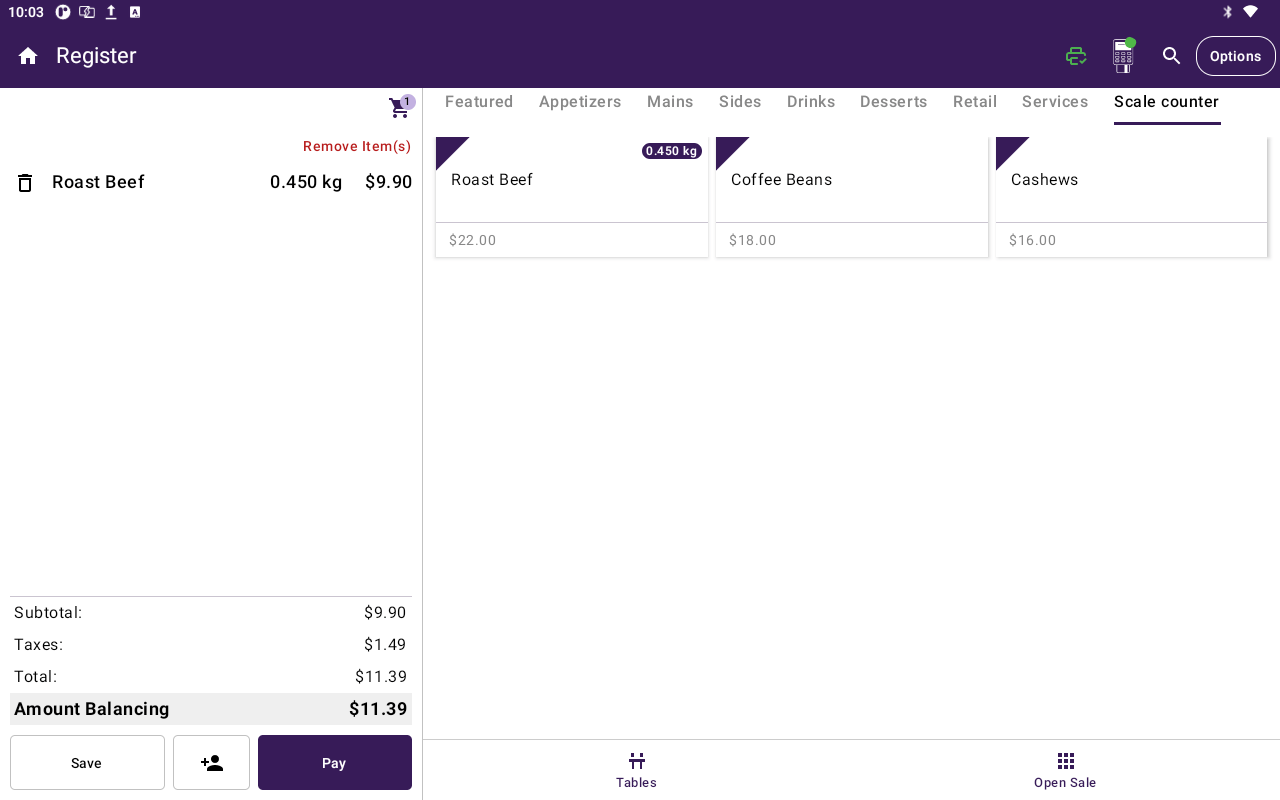
Register cart with Roast Beef at 0.450 kg and the Scale counter tiles.
If the scale does not print labels
Some counters have a scale that only shows the weight. Enter weight is the default on a new terminal. If this one was switched to Scale labels, open Settings → General and set Weighable items back to Enter weight. Then tap the weighable item in Register, type the weight, and confirm. Register multiplies the catalog price per unit by that weight. If the item has attributes or modifiers, choose those next.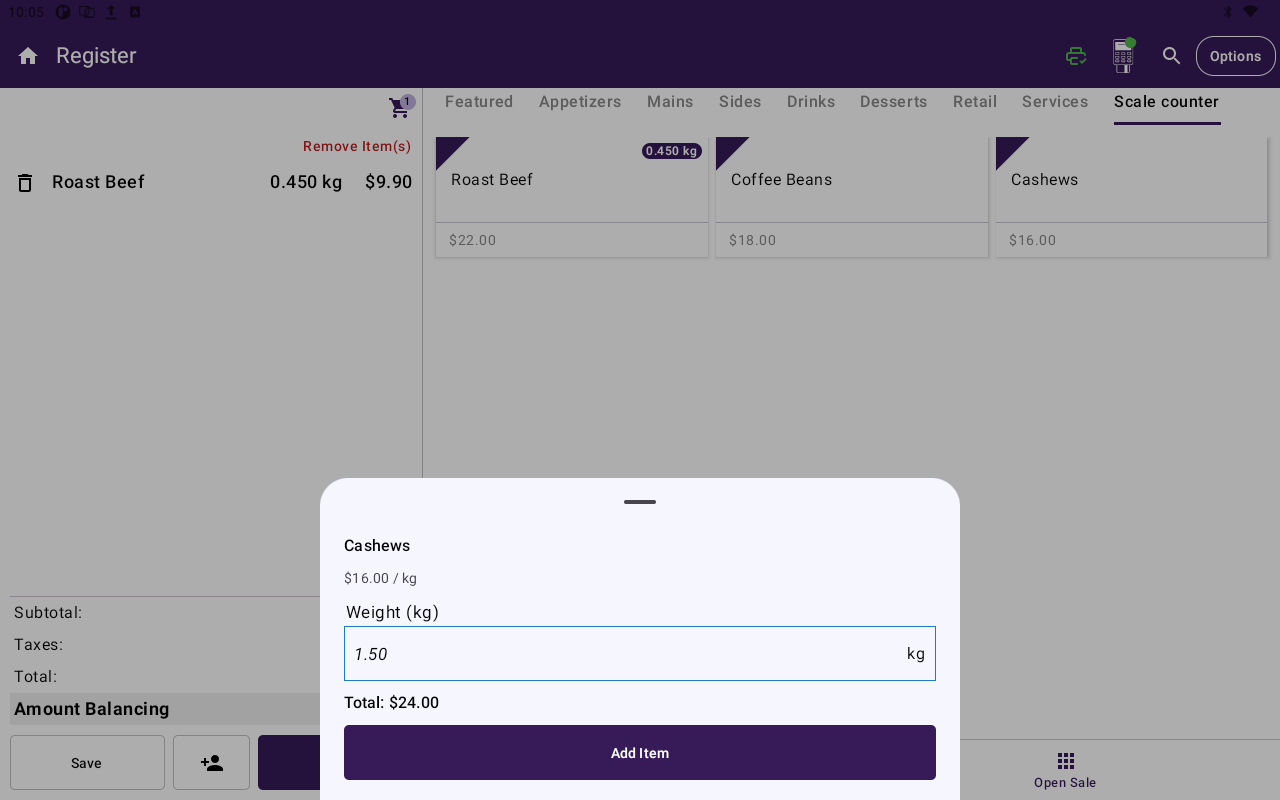
Enter weight sheet for Cashews with Weight (kg), live total, and Add Item.
Weighable items need a catalog price per unit. Custom price and Weighable cannot be on together.
Set up the product
Do this once per scale item. Full HQ steps are in Scale items. You can also set Weighable and Unit on POS under Menu / Catalog → Inventory.1
Match the PLU
Set SKU to the exact 5-digit PLU on the scale. No extra characters.
2
Put it on the terminal catalog
Add the product to the catalog this device is signed in to.
3
Price labels
Leave Weighable off. Catalog price is a fallback only — the sticker price wins at scan.
4
Weight labels
Turn Weighable on and choose a unit whose abbreviation is kg, g, lb, or oz. The unit tells Register where the decimal goes in the printed weight.
Labels we read
Register only treats 12-digit (UPC-A) and 13-digit (EAN-13) numeric barcodes in the GS1 in-store2 family. That is the layout most counter scales print (Hobart, Mettler Toledo, Bizerba, DIGI, CAS, and similar).
The 5 digits after the prefix are the PLU. The last digit is a standard check digit. Bad check digits are ignored as scale labels and searched as a normal barcode instead.
Price labels may encode 4 or 5 digits of cents. Amounts under $100 read the same either way. A printed price of $100 or more on a 5-digit field can be read as a 4-digit price — confirm the scale mask with your ISO or partner if high-value stickers look wrong.
If a scan fails
Related
- Scale items — SKU, Weighable, units, and bulk upload in Taliup HQ
- Add items
- Cart
- Inventory
- Products / Items