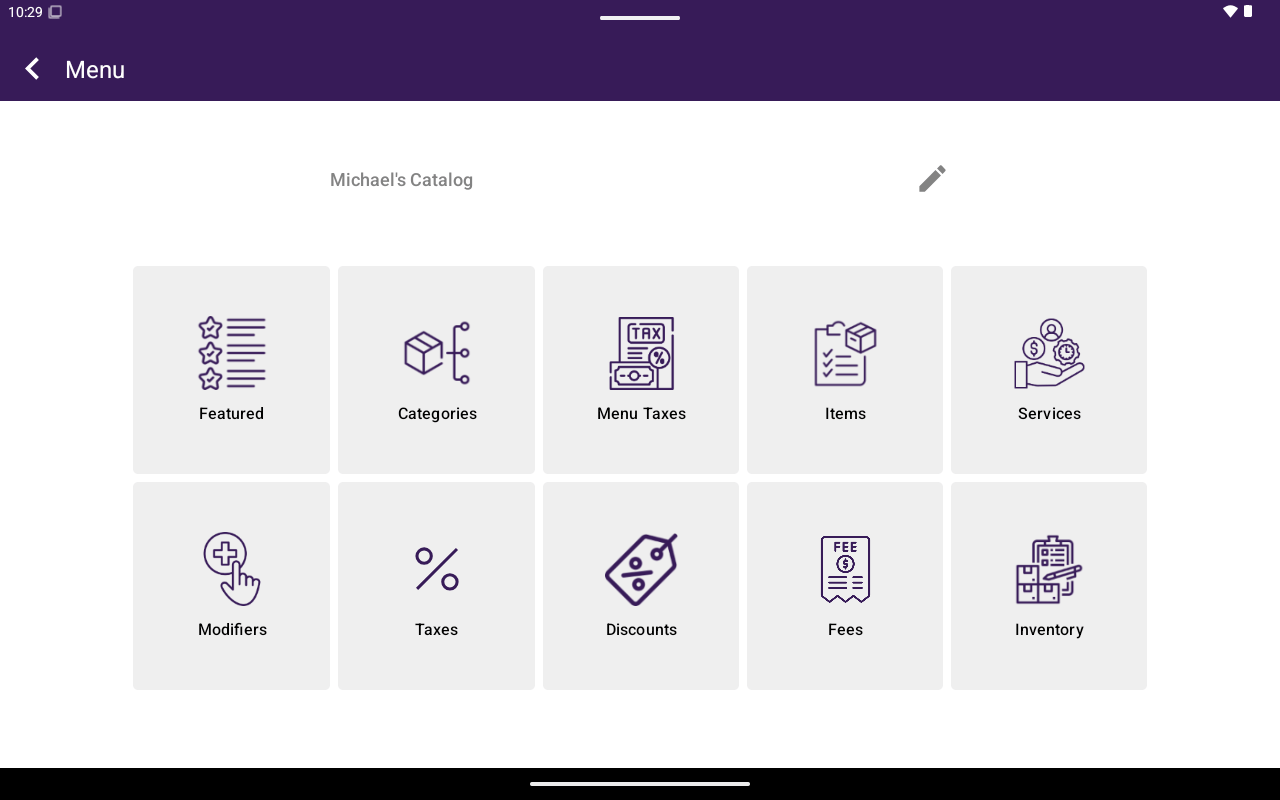
Menu/Catalog home grid with all section buttons.
How to get here
From Home, tap Menu or Catalog. The app bar shows the current menu/catalog name. You can rename it (Catalog Name / Menu Name → Rename Catalog / Rename Menu).Sections
These match the buttons on the Menu/Catalog grid:Featured
Highlight items for quick access.
Categories
Organize items into categories.
Menu / Catalog taxes
Taxes assigned to this menu/catalog.
Products / Items
Create and edit sellable products or menu items.
Services
Manage bookable services.
Attributes / Modifiers
Attributes (retail) or modifiers (restaurant).
Taxes
Global tax rates.
Discounts
Discount definitions.
Fees
Fee definitions.
Inventory
Stock, Sold by / Weighable, raw materials, and units.