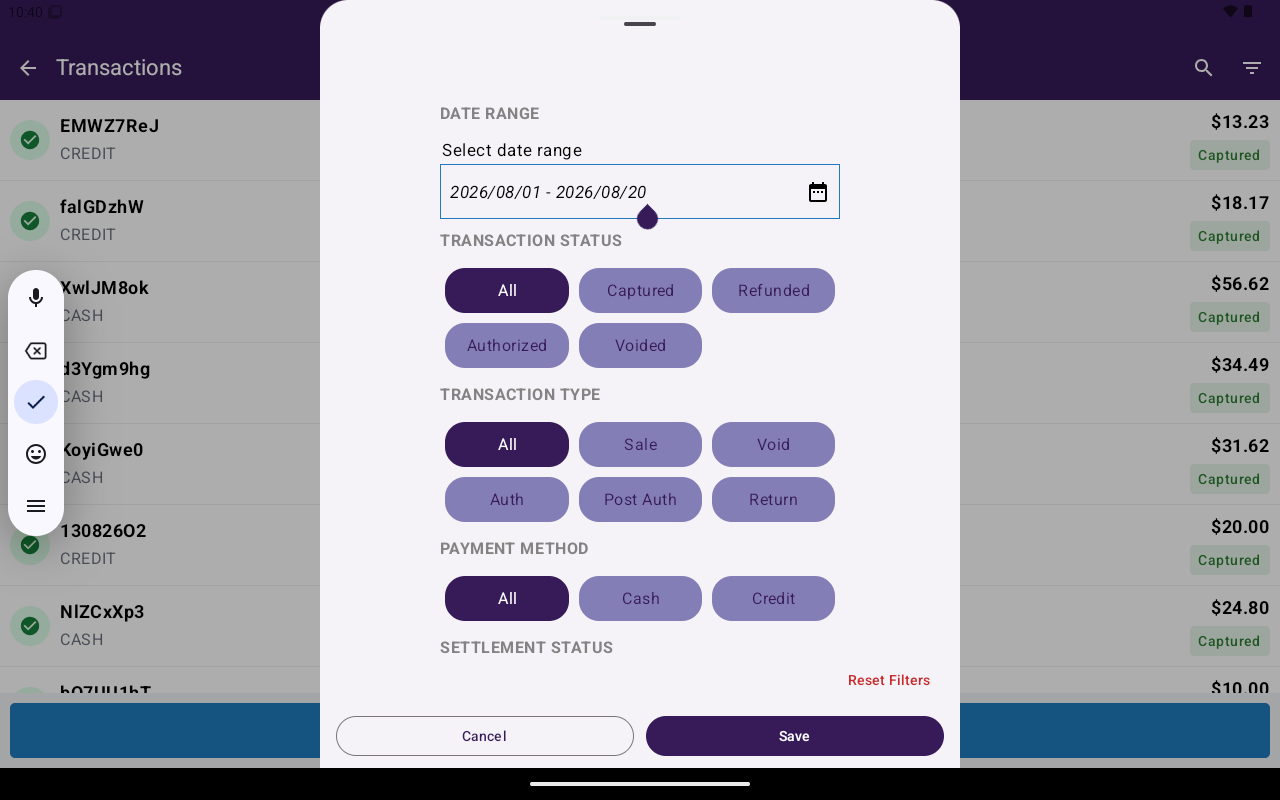
Filter Transactions screen with status and type chips.
Search
1
Open search
On Transactions, tap the search icon in the app bar.
2
Type to filter
Enter text to filter the list. Clear the field with the clear control when finished.
3
Dismiss
Tap outside the search overlay to close it.
Filter Transactions
Tap the filter icon to open Filter Transactions.
Use Reset Filters to clear selections. Navigate back to apply the current filters and return to the list.