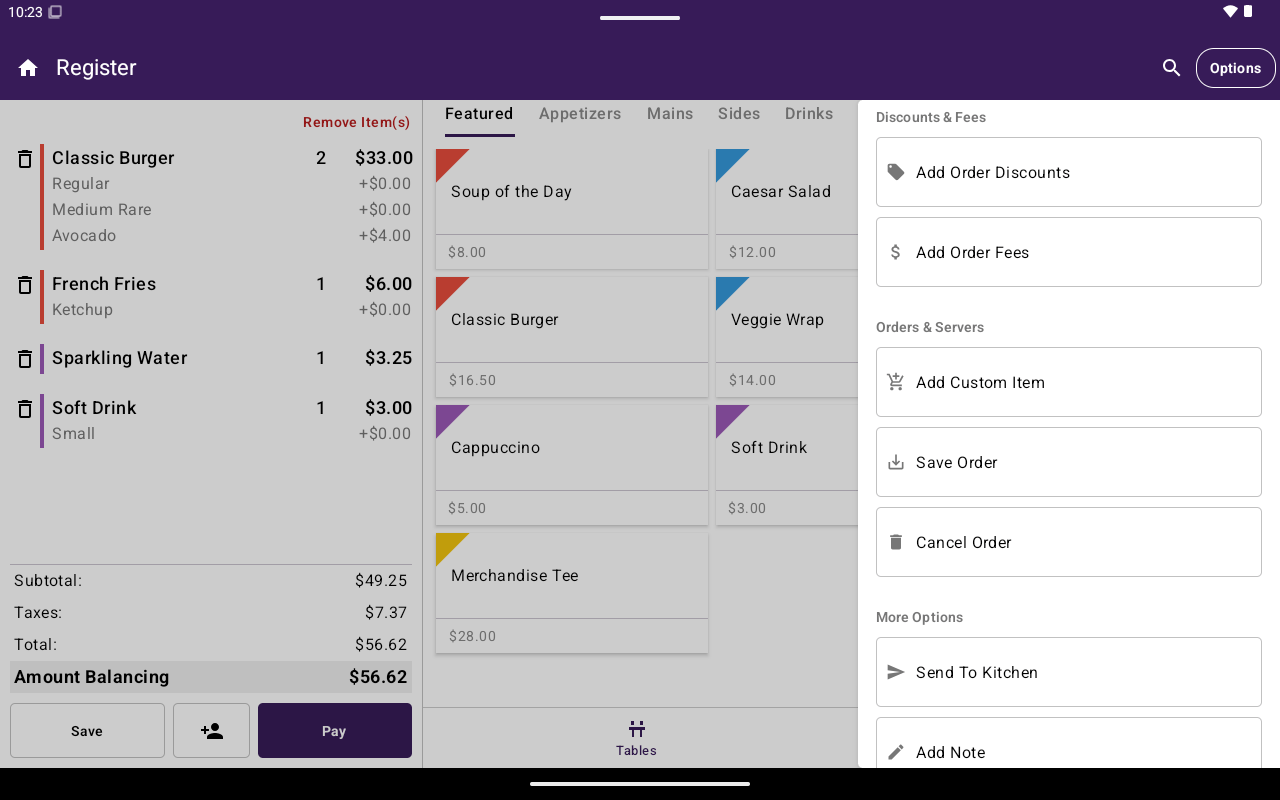
Register Options side menu fully expanded.
Bills and payments
While Register is in Auth or Refund mode, the side menu shows Cancel Auth or Cancel Refund so you can return to normal payment mode. The app bar title changes to Auth or Refund.
Discounts and fees
Shown for non-table orders when you are not on the Open Sale tab.
If the feature is not entitled, Taliup POS explains that access is blocked instead of applying the discount or fee.
Orders and servers
More options
Permission tips for support
- Create Auth / Create Refund appear but may be disabled without the right role permission — staff see a permission message when they tap them.
- Discounts, fees, clients, and payouts can be plan-gated even when the menu entry is visible or attempted.
- Many Options entries disappear on Open Sale; switch to Menu/Catalog or open a saved/table order if a tool is missing.