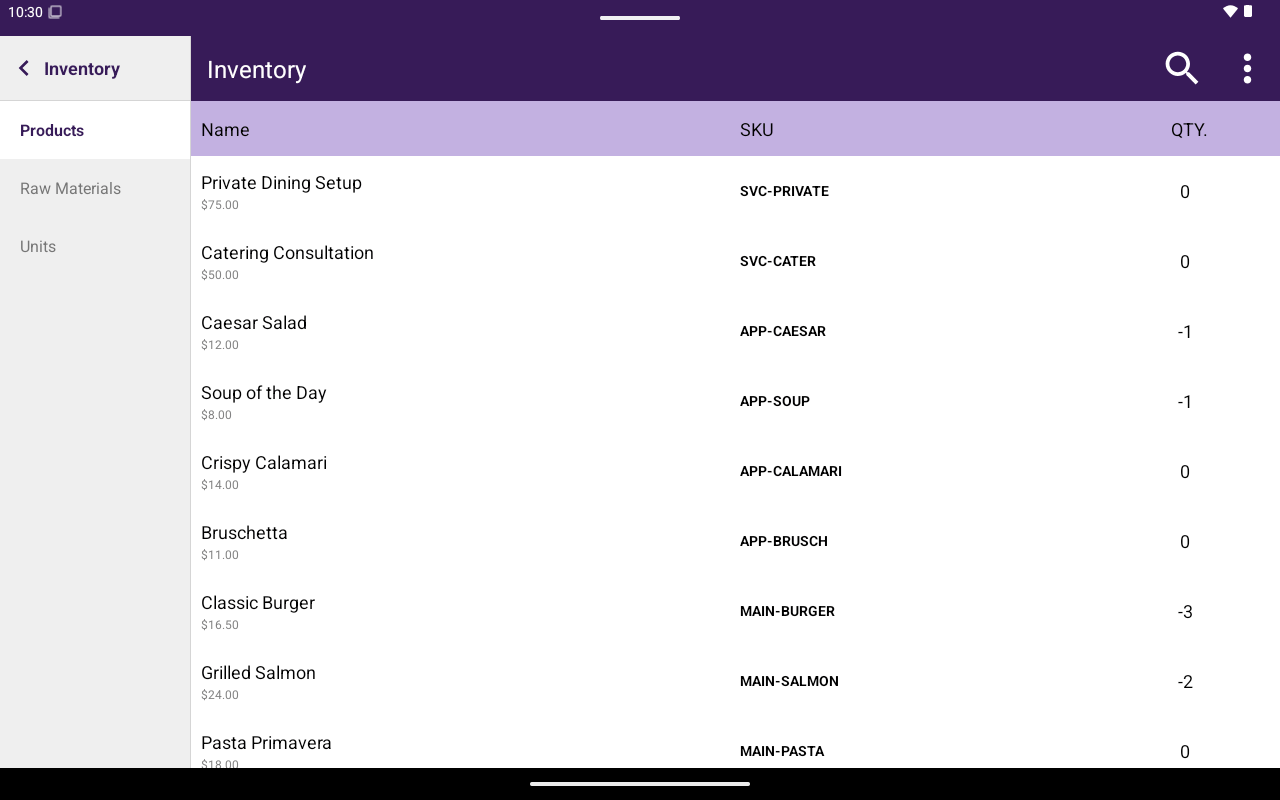
Inventory products list with Name, SKU, QTY.
How to get here
Home → Menu / Catalog → Inventory.Navigation
Products
List columns: Name, SKU, QTY. Search by name, SKU, or price. Open a product to edit inventory. The header shows name, SKU, Price, and Total Stock (with the unit abbreviation when one is set).- Quantity on hand
- RP. (reorder point) when enabled
- Sold by — unit and Weighable (see below)
Sold by
The Sold by card is on the product inventory screen.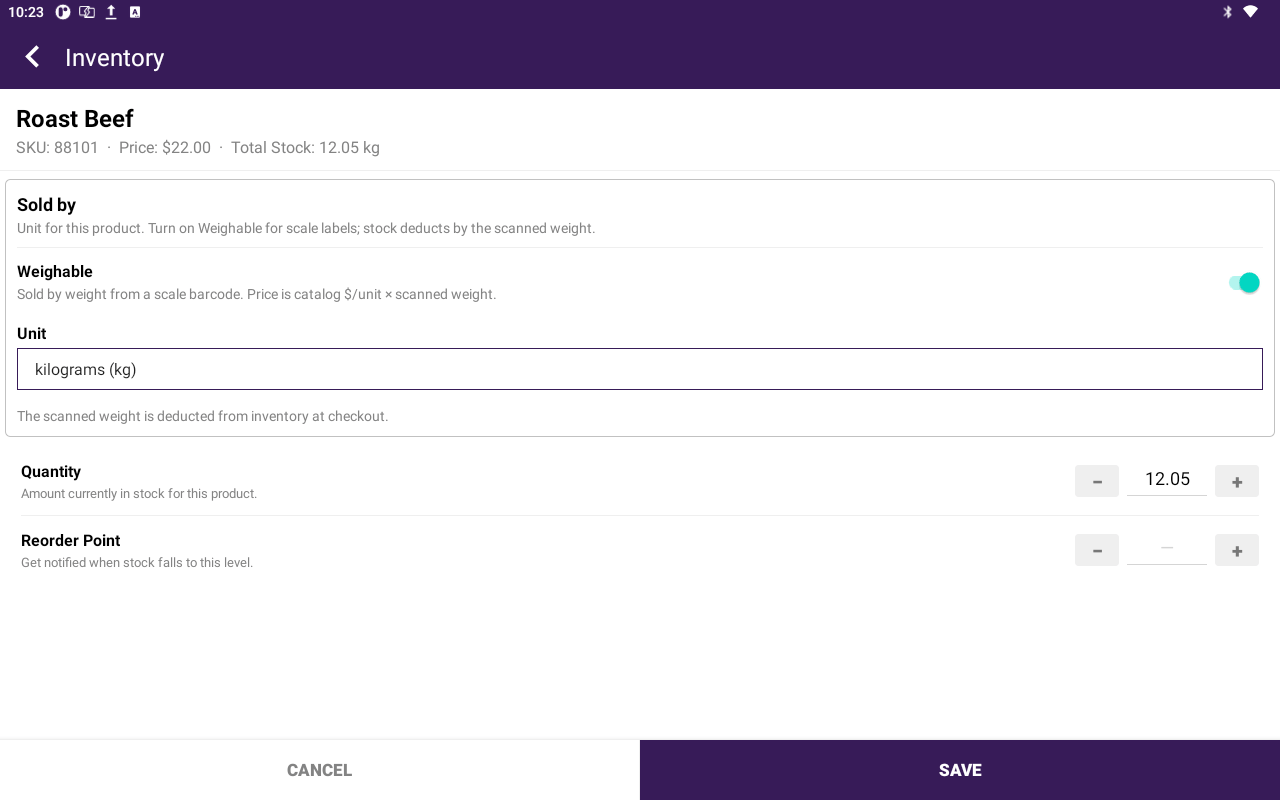
Roast Beef inventory with Weighable on and unit kilograms (kg).
When Weighable is off
- Unit can be Per Item (default) or any unit in the list.
- If the units feature is on, the list includes + Add Custom Unit.
- Set Quantity Deducted per Sale (for example
250if each sale uses 250 g).
- Unit lists only kg, g, lb, and oz. Pick one before you save.
- Quantity Deducted per Sale is hidden. Help text: The scanned weight is deducted from inventory at checkout.
- + Add Custom Unit is not in this list. Create a weight unit under Units (or in Taliup HQ) first.
- If no weight unit exists, Taliup shows: Add a kg, g, lb, or oz unit in HQ Inventory > Units before marking this product weighable.
Raw materials
Title Raw Materials. Tap Add Raw Material or edit a row.
Search by name. Delete is available when editing.
Units
Title Units. Search by name or abbreviation. Tap Add Custom Unit or open a row to edit.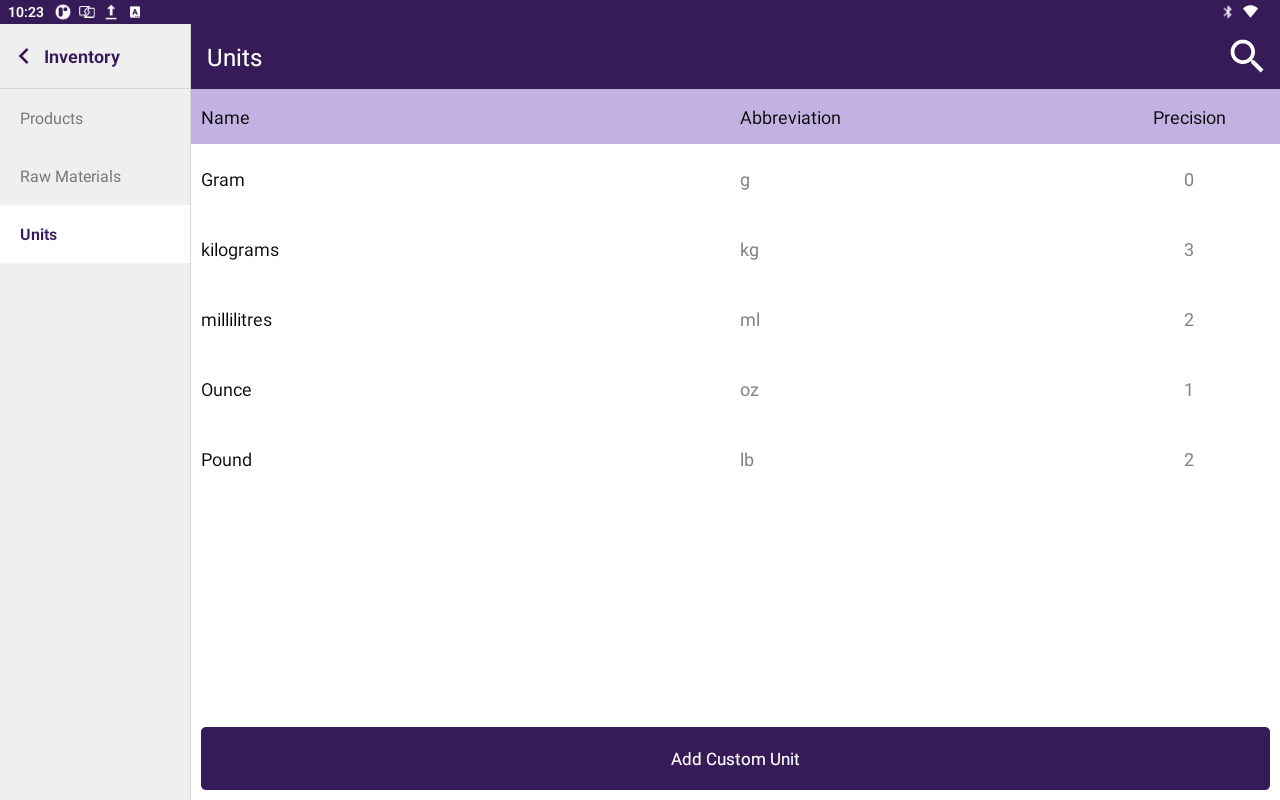
Inventory Units list with Name, Abbreviation, and Precision.
Taliup HQ creates Kilogram (
kg), Gram (g), Pound (lb), and Ounce (oz) for new merchants. You can add more units here for packaged items.
A weighable product only accepts those four abbreviations. Other units stay in the picker when Weighable is off. After you add kg / g / lb / oz, they appear in the weight-only Unit list on Sold by.