> ## Documentation Index
> Fetch the complete documentation index at: https://docs.taliuphq.com/llms.txt
> Use this file to discover all available pages before exploring further.
# Search and filters
> Find transactions with search and Filter Transactions options.
Use search and filters on the Transactions list to narrow results before opening a payment.
 ## Search
On **Transactions**, tap the search icon in the app bar.
Enter text to filter the list. Clear the field with the clear control when finished.
Tap outside the search overlay to close it.
## Filter Transactions
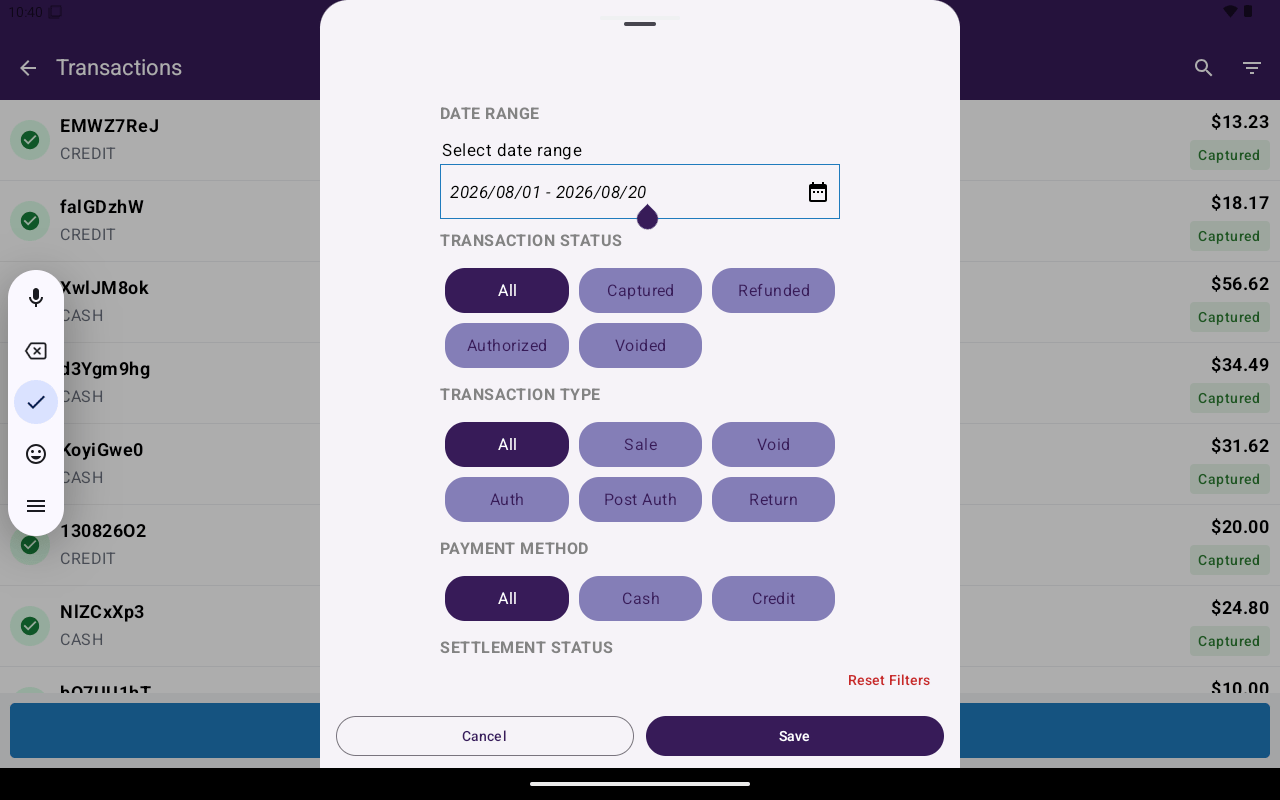
Tap the filter icon to open **Filter Transactions**.
| Section | Options |
| ---------------------- | ------------------------------------------------------------------------------- |
| **Date Range** | **Select date range** (shown as `yyyy/MM/dd - yyyy/MM/dd` after you pick dates) |
| **Transaction Status** | **All**, **Captured**, **Refunded**, **Authorized**, **Voided** |
| **Transaction Type** | **All**, **Sale**, **Void**, **Auth**, **Post Auth**, **Return** |
| **Payment Method** | **All**, **Cash**, **Credit** |
| **Settlement Status** | **All**, **Settled**, **Not Settled** |
Use **Reset Filters** to clear selections. Navigate back to apply the current filters and return to the list.
## Related
* [Transaction details](/taliup-pos/transactions/details)
## Search
On **Transactions**, tap the search icon in the app bar.
Enter text to filter the list. Clear the field with the clear control when finished.
Tap outside the search overlay to close it.
## Filter Transactions
Tap the filter icon to open **Filter Transactions**.
| Section | Options |
| ---------------------- | ------------------------------------------------------------------------------- |
| **Date Range** | **Select date range** (shown as `yyyy/MM/dd - yyyy/MM/dd` after you pick dates) |
| **Transaction Status** | **All**, **Captured**, **Refunded**, **Authorized**, **Voided** |
| **Transaction Type** | **All**, **Sale**, **Void**, **Auth**, **Post Auth**, **Return** |
| **Payment Method** | **All**, **Cash**, **Credit** |
| **Settlement Status** | **All**, **Settled**, **Not Settled** |
Use **Reset Filters** to clear selections. Navigate back to apply the current filters and return to the list.
## Related
* [Transaction details](/taliup-pos/transactions/details)