> ## Documentation Index
> Fetch the complete documentation index at: https://docs.taliuphq.com/llms.txt
> Use this file to discover all available pages before exploring further.
# Transactions
> Find payments in Taliup POS and void, return (refund), or reprint receipts.
**Transactions** is where you look up completed payments and take follow-up actions such as void, return (refund), or reprint.
Opening **Transactions** from Home requires the **manage transactions** permission. Without it, staff see **Permission denied** — *You do not have permission to access Transactions.*
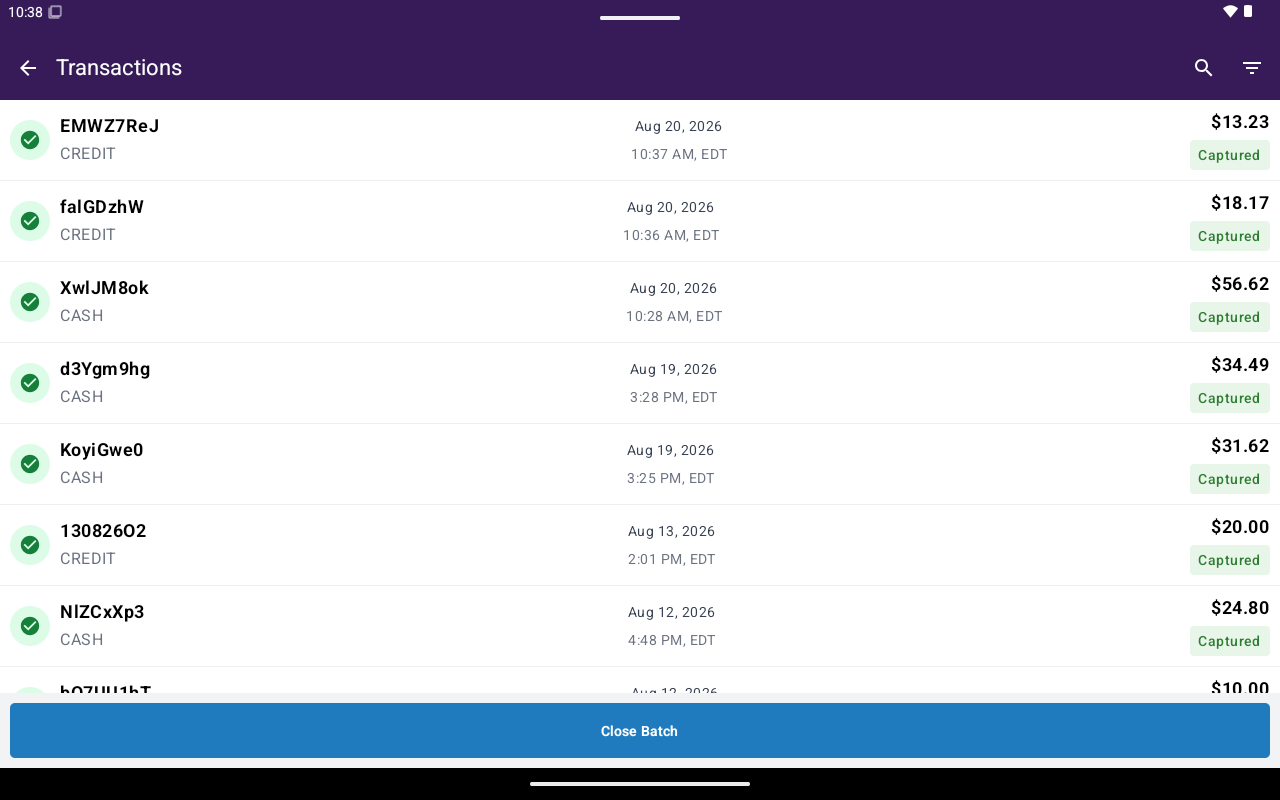 ## What’s on the list
| Column | Shows |
| ------------- | -------------------------- |
| **ID** | Short payment reference |
| **Date/Time** | When the payment was taken |
| **Total** | Payment amount |
Each row also indicates payment method (cash vs card) and uses status coloring (for example captured, authorized, voided, refunded).
### Search and filters
* Tap search to filter the list by typing.
* Tap filter to open **Filter Transactions** (date range, status, type, payment method, settlement status). See [Search and filters](/taliup-pos/transactions/search-and-filters).
Tap a row to open [Transaction details](/taliup-pos/transactions/details).
## Common follow-ups
Cancel an unsettled captured payment or void an authorization.
Full or partial return on an eligible payment.
Print merchant or customer copy again.
Status, history, terminal info, and available actions.
Settlement / close-batch workflows are not covered here yet. Filter chips may still mention settlement status.
## What’s on the list
| Column | Shows |
| ------------- | -------------------------- |
| **ID** | Short payment reference |
| **Date/Time** | When the payment was taken |
| **Total** | Payment amount |
Each row also indicates payment method (cash vs card) and uses status coloring (for example captured, authorized, voided, refunded).
### Search and filters
* Tap search to filter the list by typing.
* Tap filter to open **Filter Transactions** (date range, status, type, payment method, settlement status). See [Search and filters](/taliup-pos/transactions/search-and-filters).
Tap a row to open [Transaction details](/taliup-pos/transactions/details).
## Common follow-ups
Cancel an unsettled captured payment or void an authorization.
Full or partial return on an eligible payment.
Print merchant or customer copy again.
Status, history, terminal info, and available actions.
Settlement / close-batch workflows are not covered here yet. Filter chips may still mention settlement status.