> ## Documentation Index
> Fetch the complete documentation index at: https://docs.taliuphq.com/llms.txt
> Use this file to discover all available pages before exploring further.
# Manage Link To Pay
> Search, filter, resend, remind, record payment, refund, or delete a Link To Pay.
## Search and filters
On **Link To Pay**, use search in the app bar, or open **Filter Link To Pay**:
| Section | Options |
| -------------- | ------------------------------------------------------------------------------ |
| **DATE RANGE** | **From:** / **To:** |
| **CLIENT** | Client spinner |
| Status | **All**, **draft**, **pending**, **sent**, **paid**, **overdue**, **refunded** |
**Reset Filters**, then **Save** or **Cancel**.
## Row actions
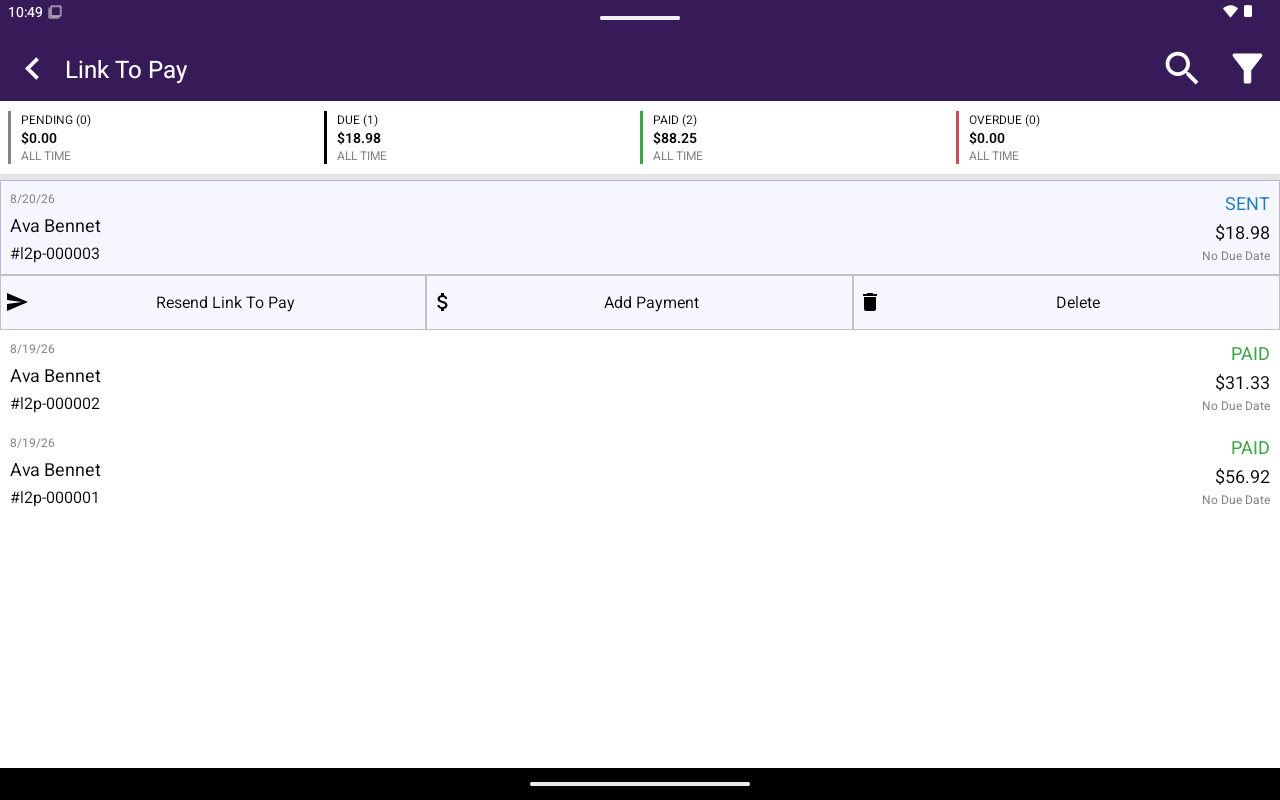
Tap a row to expand actions:
| Action | When it appears | What it does |
| ---------------------- | ----------------------- | ------------------------------------------------- |
| **Resend Link To Pay** | **SENT** | Resends the payment link |
| **Send Reminder** | **OVERDUE** | Sends a past-due reminder |
| **Add Payment** | **SENT** or **OVERDUE** | Record an offline payment |
| **Refund** | **PAID** | Confirm **Proceed to refund this Link To Pay …?** |
| **Delete** | Always | Confirm **Proceed to deleting this Link To Pay?** |
 ## Add Payment
On **Add Payment**:
1. Enter **AMOUNT (\$)**.
2. Choose **Payment Method** (**CHEQUE** or **OTHER**).
3. Optional **Notes**.
4. Set **Send Receipt To Customer** (**YES** / **NO**).
5. Tap **Record Payment**.
## Related
* [Create and send](/taliup-pos/link-to-pay/create-and-send)
* [Clients](/taliup-pos/clients)
## Add Payment
On **Add Payment**:
1. Enter **AMOUNT (\$)**.
2. Choose **Payment Method** (**CHEQUE** or **OTHER**).
3. Optional **Notes**.
4. Set **Send Receipt To Customer** (**YES** / **NO**).
5. Tap **Record Payment**.
## Related
* [Create and send](/taliup-pos/link-to-pay/create-and-send)
* [Clients](/taliup-pos/clients)