> ## Documentation Index
> Fetch the complete documentation index at: https://docs.taliuphq.com/llms.txt
> Use this file to discover all available pages before exploring further.
# Create and send Link To Pay
> Send a Link To Pay from Register and understand New Invoice fields.
## From Register payment
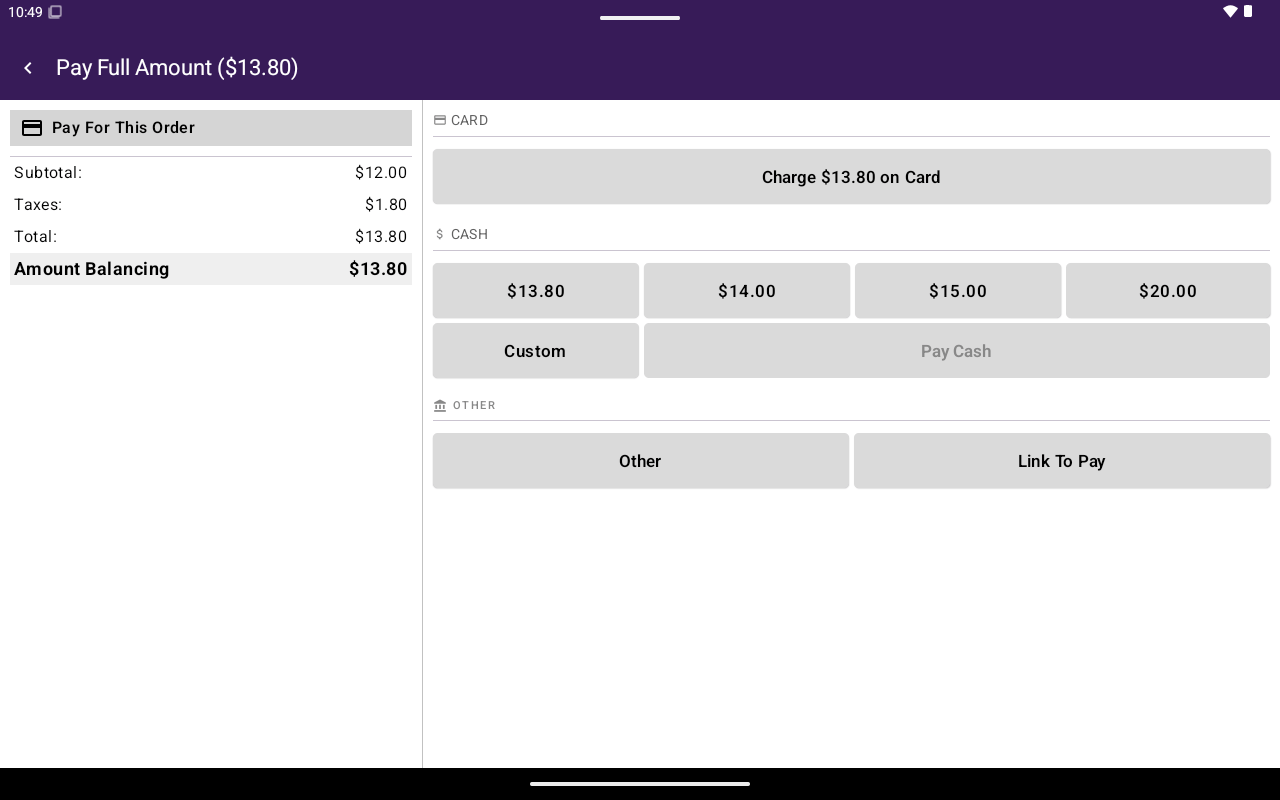
When Link To Pay is enabled for the merchant, the payment screen can show **Link To Pay** under other methods.
Add items or an Open Sale amount in [Register](/taliup-pos/register), then tap **Pay**.
Tap **Link To Pay**.
Confirm sending when prompted (**Link To Pay** / proceed to send to the selected client contact).
Attach a [client](/taliup-pos/clients/attach-from-register) first when the flow requires a customer email or phone.
 ## New Invoice form (fields)
The POS also includes a **New Invoice** / **Edit Invoice** form used for full invoice creation (also related to HQ invoicing). Key fields:
| Section | Fields |
| ------------------ | -------------------------------------------------------------------------------------- |
| Header | **Invoice Number**, **Client**, **Invoice Summary**, **Invoice Message**, **Location** |
| Timing | **Send Invoice Immediately**, **Send Date**, **Due Date** |
| **Items** | **Add Item**, **Edit Attribute** |
| **Total** | **Subtotal:**, **Add Discount**, **Total:** |
| Payment | **Payment Details**, **Recurring Payment**, **Add Link To Pay the Invoice** |
| **Communications** | **Send Invoice Via Email**, **Send Invoice Via Invoice As SMS** |
Footer actions include **draft** and **create invoice** (or **update invoice** / **update draft** when editing).
Validation examples: invoice number, client, and location required; SMS requires the client to have a phone number.
For HQ-side invoicing setup, see [Invoicing](/taliup-hq/features/invoicing).
## New Invoice form (fields)
The POS also includes a **New Invoice** / **Edit Invoice** form used for full invoice creation (also related to HQ invoicing). Key fields:
| Section | Fields |
| ------------------ | -------------------------------------------------------------------------------------- |
| Header | **Invoice Number**, **Client**, **Invoice Summary**, **Invoice Message**, **Location** |
| Timing | **Send Invoice Immediately**, **Send Date**, **Due Date** |
| **Items** | **Add Item**, **Edit Attribute** |
| **Total** | **Subtotal:**, **Add Discount**, **Total:** |
| Payment | **Payment Details**, **Recurring Payment**, **Add Link To Pay the Invoice** |
| **Communications** | **Send Invoice Via Email**, **Send Invoice Via Invoice As SMS** |
Footer actions include **draft** and **create invoice** (or **update invoice** / **update draft** when editing).
Validation examples: invoice number, client, and location required; SMS requires the client to have a phone number.
For HQ-side invoicing setup, see [Invoicing](/taliup-hq/features/invoicing).