> ## Documentation Index
> Fetch the complete documentation index at: https://docs.taliuphq.com/llms.txt
> Use this file to discover all available pages before exploring further.
# Home screen
> Overview of the Taliup POS Home screen tiles, permissions, and clock in / clock out.
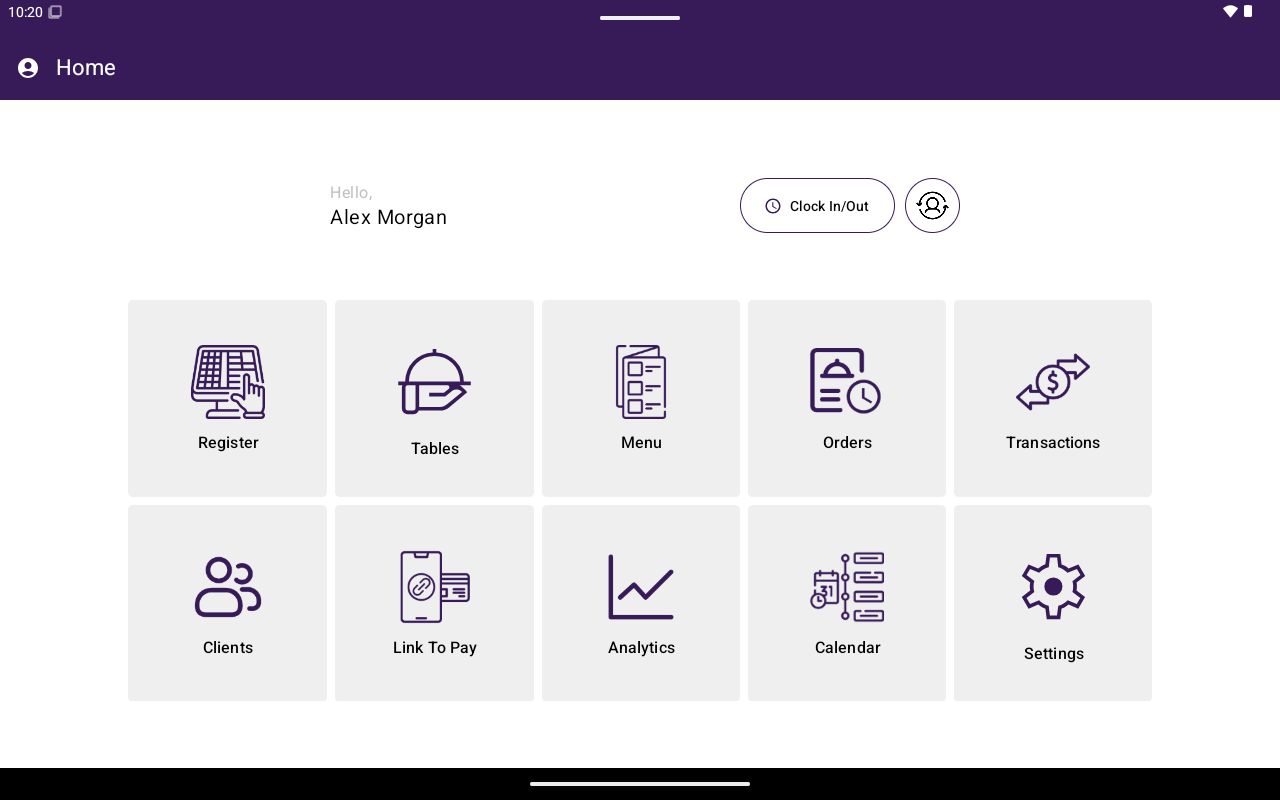
The Home screen is the main hub after login. Each tile opens a section of the app. Availability can depend on your plan, industry type, and role permissions.
 ## Sections
| Section | What it is for | Notes |
| ---------------------- | -------------------------------------- | --------------------------------------------------------------------------- |
| **Register** | Ring up sales and take payments | Always available after login |
| **Tables** | Seat guests and manage table orders | Shown when table management is enabled |
| **Menu** / **Catalog** | Manage what you sell | Label depends on industry type |
| **Orders** | Find open or past orders | Always available |
| **Transactions** | Search payments, void, refund, reprint | Needs manage-transactions permission |
| **Clients** | Customer records | Needs Clients feature — [Clients](/taliup-pos/clients) |
| **Link To Pay** | Payment links / invoices | Needs Link to Pay + L2P — [Link To Pay](/taliup-pos/link-to-pay) |
| **Analytics** | Sales charts | Needs view-analytics + Reports feature — [Analytics](/taliup-pos/analytics) |
| **Calendar** | Appointments | Needs Calendar feature — [Calendar](/taliup-pos/calendar) |
| **Settings** | Terminal settings | Always available |
Restaurants see **Menu**; other industry types see **Catalog**.
## Permission denials
If you tap **Transactions** or **Analytics** without the right role permission, Taliup POS shows a permission denied message for that section. Ask a manager or update the role in Taliup HQ.
## Clock in / clock out
When time sheets are enabled, Home includes **Clock In / Clock Out**. Use it to record staff time. It does not replace app login.
## Version banner
If a newer app version is available (but not forced), a yellow banner can appear at the top of Home with the latest version number.
## Next
Open the tile you need — start with [Register](/taliup-pos/register) for sales, or [Settings](/taliup-pos/settings) to configure this terminal.
## Sections
| Section | What it is for | Notes |
| ---------------------- | -------------------------------------- | --------------------------------------------------------------------------- |
| **Register** | Ring up sales and take payments | Always available after login |
| **Tables** | Seat guests and manage table orders | Shown when table management is enabled |
| **Menu** / **Catalog** | Manage what you sell | Label depends on industry type |
| **Orders** | Find open or past orders | Always available |
| **Transactions** | Search payments, void, refund, reprint | Needs manage-transactions permission |
| **Clients** | Customer records | Needs Clients feature — [Clients](/taliup-pos/clients) |
| **Link To Pay** | Payment links / invoices | Needs Link to Pay + L2P — [Link To Pay](/taliup-pos/link-to-pay) |
| **Analytics** | Sales charts | Needs view-analytics + Reports feature — [Analytics](/taliup-pos/analytics) |
| **Calendar** | Appointments | Needs Calendar feature — [Calendar](/taliup-pos/calendar) |
| **Settings** | Terminal settings | Always available |
Restaurants see **Menu**; other industry types see **Catalog**.
## Permission denials
If you tap **Transactions** or **Analytics** without the right role permission, Taliup POS shows a permission denied message for that section. Ask a manager or update the role in Taliup HQ.
## Clock in / clock out
When time sheets are enabled, Home includes **Clock In / Clock Out**. Use it to record staff time. It does not replace app login.
## Version banner
If a newer app version is available (but not forced), a yellow banner can appear at the top of Home with the latest version number.
## Next
Open the tile you need — start with [Register](/taliup-pos/register) for sales, or [Settings](/taliup-pos/settings) to configure this terminal.