> ## Documentation Index
> Fetch the complete documentation index at: https://docs.taliuphq.com/llms.txt
> Use this file to discover all available pages before exploring further.
# Create and edit a client
> Add a new client, update details, review activity, and delete a client.
## Create a client
From Home, tap **Clients**, then **Add New**.
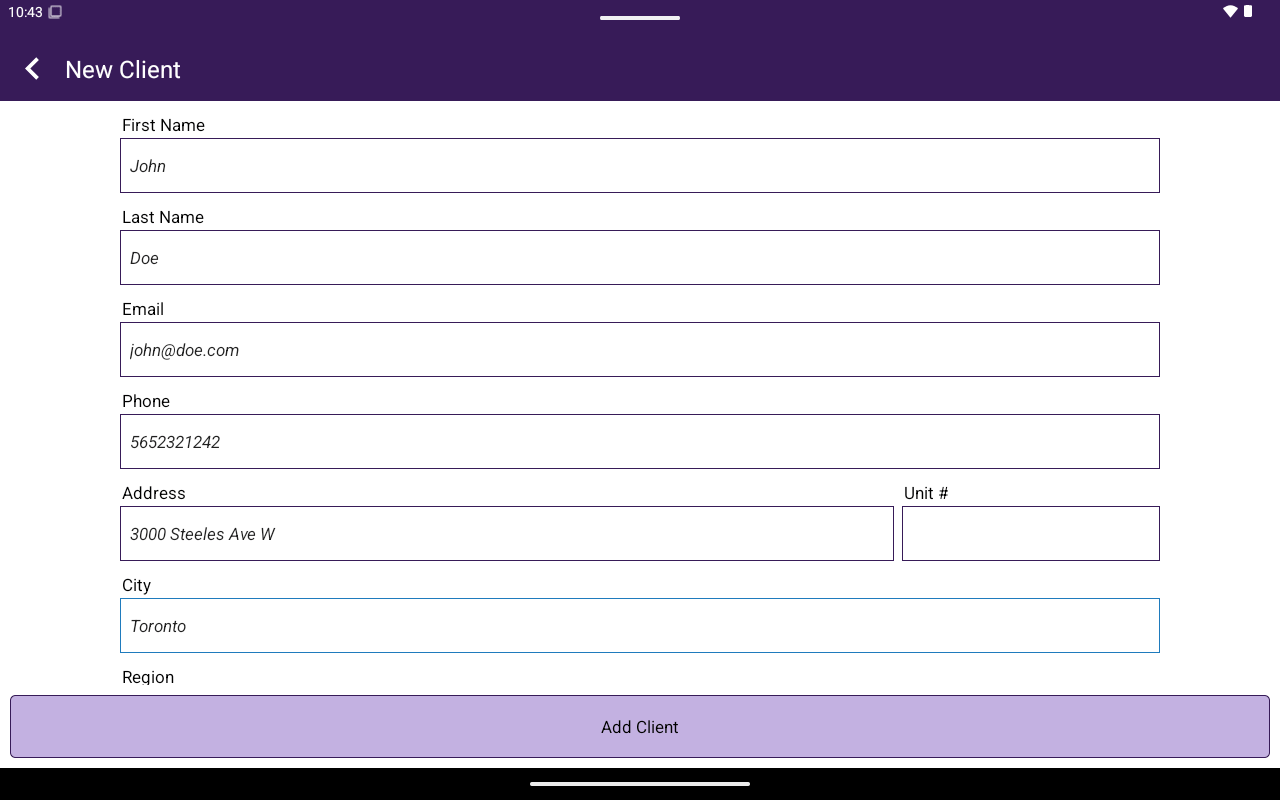
On **New Client**, fill in:
| Field | Required |
| --------------------------------------------------------------------------- | -------- |
| **First Name** | Yes |
| **Last Name** | Yes |
| **Email** | Yes |
| **Phone** | No |
| **Address**, **Unit #**, **City**, **Region**, **Country**, **Postal Code** | No |
Tap **Add Client**.
 ## Client portal
Opening a client shows **Client** with two tabs:
### Edit details
Helper text: **Update customer details below, then tap Save Changes.**
Sections:
* **Basic Info**
* **Contact**
* **Address** (can **Edit address** / **Hide address**)
* **Notes** — **No notes on file.** or existing notes; **Add a note**
Bottom actions:
* **Save Changes** (while editing)
* **Edit Details** (from Activity)
* **Delete Client** → confirm **Proceed to deleting this client?**
If you delete a client in **Taliup HQ** and add them again with the same email, HQ asks to [restore the previous client](/taliup-hq/features/clients#restore-a-deleted-client) so invoices and other history come back.
### Activity
Use **Activity Menu** to switch sections:
| Section | Empty state |
| ---------------- | -------------------------------------- |
| **Invoices** | No invoices found for this client. |
| **Transactions** | No transactions found for this client. |
| **Appointments** | No appointments found for this client. |
| **Orders** | No orders found for this client. |
**Quick Summary** chips can show **Invoices**, **Transactions**, and **Total Paid**.
## Related
* [Attach from Register](/taliup-pos/clients/attach-from-register)
* [Link To Pay](/taliup-pos/link-to-pay)
* [Calendar](/taliup-pos/calendar)
## Client portal
Opening a client shows **Client** with two tabs:
### Edit details
Helper text: **Update customer details below, then tap Save Changes.**
Sections:
* **Basic Info**
* **Contact**
* **Address** (can **Edit address** / **Hide address**)
* **Notes** — **No notes on file.** or existing notes; **Add a note**
Bottom actions:
* **Save Changes** (while editing)
* **Edit Details** (from Activity)
* **Delete Client** → confirm **Proceed to deleting this client?**
If you delete a client in **Taliup HQ** and add them again with the same email, HQ asks to [restore the previous client](/taliup-hq/features/clients#restore-a-deleted-client) so invoices and other history come back.
### Activity
Use **Activity Menu** to switch sections:
| Section | Empty state |
| ---------------- | -------------------------------------- |
| **Invoices** | No invoices found for this client. |
| **Transactions** | No transactions found for this client. |
| **Appointments** | No appointments found for this client. |
| **Orders** | No orders found for this client. |
**Quick Summary** chips can show **Invoices**, **Transactions**, and **Total Paid**.
## Related
* [Attach from Register](/taliup-pos/clients/attach-from-register)
* [Link To Pay](/taliup-pos/link-to-pay)
* [Calendar](/taliup-pos/calendar)