> ## Documentation Index
> Fetch the complete documentation index at: https://docs.taliuphq.com/llms.txt
> Use this file to discover all available pages before exploring further.
# Clients
> Create and manage customer records, view activity, and attach clients to Register orders.
**Clients** stores customer records you can attach to Register orders and review later.
Requires the **Clients** feature. If it is not enabled, Taliup POS shows a feature access message — enable it in Taliup HQ or contact your ISO/partner.
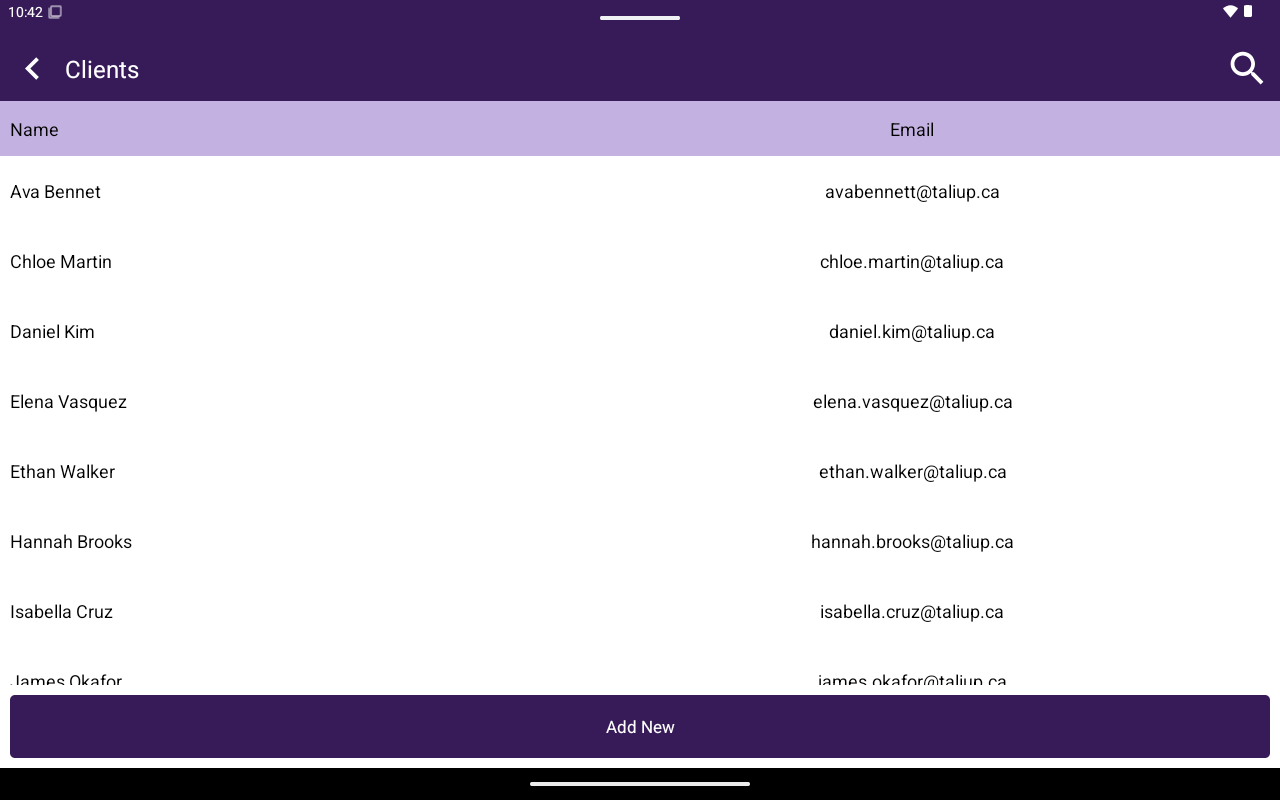 ## How to get here
From Home, tap **Clients**.
## List
| Element | Details |
| -------------- | ------------------- |
| Columns | **Name**, **Email** |
| Search | App bar search |
| Primary action | **Add New** |
Tap a row to open the client portal. See [Create and edit](/taliup-pos/clients/create-and-edit) and [Attach from Register](/taliup-pos/clients/attach-from-register).
## How to get here
From Home, tap **Clients**.
## List
| Element | Details |
| -------------- | ------------------- |
| Columns | **Name**, **Email** |
| Search | App bar search |
| Primary action | **Add New** |
Tap a row to open the client portal. See [Create and edit](/taliup-pos/clients/create-and-edit) and [Attach from Register](/taliup-pos/clients/attach-from-register).