> ## Documentation Index
> Fetch the complete documentation index at: https://docs.taliuphq.com/llms.txt
> Use this file to discover all available pages before exploring further.
# Services
> Create and manage services in the catalog, including booking duration options.
Use **Services** for bookable or service-style offerings. Access requires the services catalog feature.
 ## How to get here
Home → **Menu** / **Catalog** → **Services**.
## Add or edit a service
| Field | Notes |
| ---------------------------------------- | ------------------------ |
| **Name** | Required |
| **Description** | Optional |
| **Custom Price** / **Price** | Same pattern as products |
| **Allow Customers to Book Appointments** | YES/NO |
| **Duration** | N/A or 15–120 minutes |
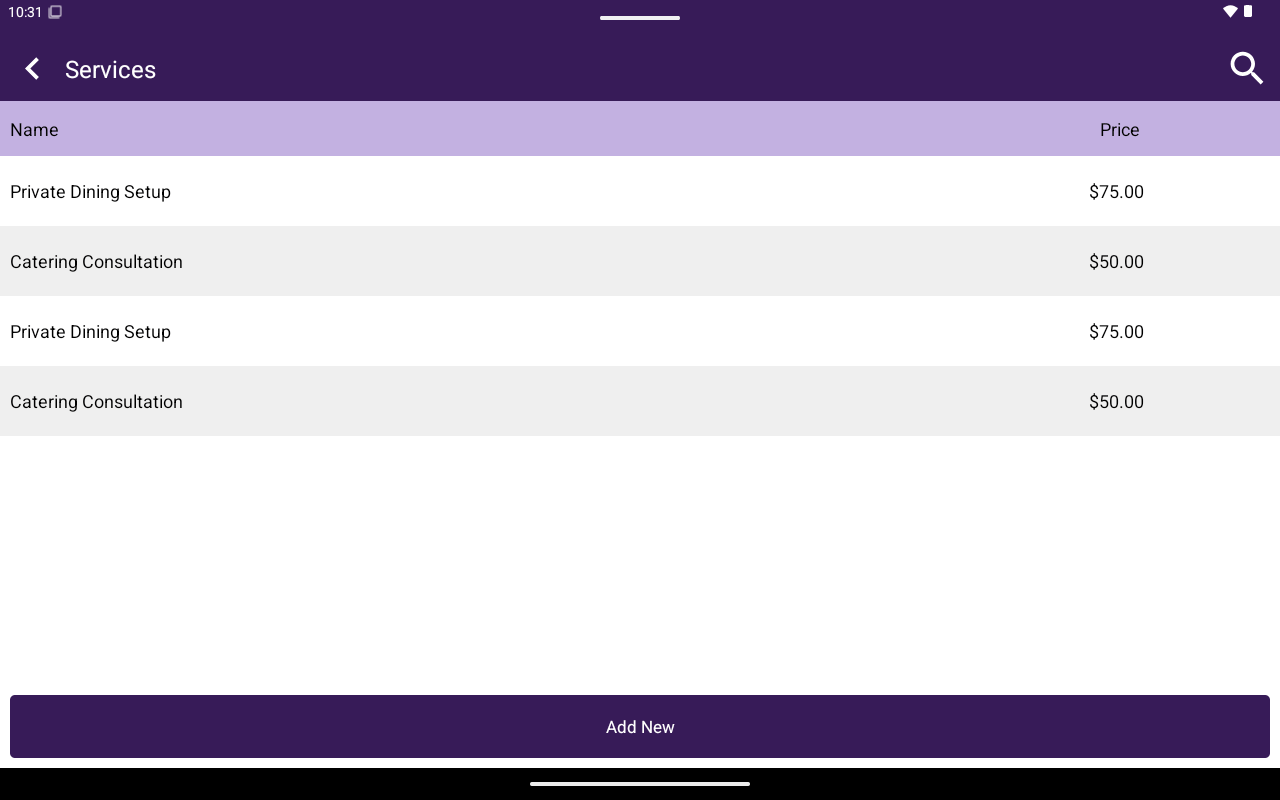
The edit screen uses **General**, **Attributes**/**Modifiers**, and **Taxes** tabs (SKU is not used for services). Use search and **Add New** on the list (**Name**, **Price** columns).
## How to get here
Home → **Menu** / **Catalog** → **Services**.
## Add or edit a service
| Field | Notes |
| ---------------------------------------- | ------------------------ |
| **Name** | Required |
| **Description** | Optional |
| **Custom Price** / **Price** | Same pattern as products |
| **Allow Customers to Book Appointments** | YES/NO |
| **Duration** | N/A or 15–120 minutes |
The edit screen uses **General**, **Attributes**/**Modifiers**, and **Taxes** tabs (SKU is not used for services). Use search and **Add New** on the list (**Name**, **Price** columns).