> ## Documentation Index
> Fetch the complete documentation index at: https://docs.taliuphq.com/llms.txt
> Use this file to discover all available pages before exploring further.
# Products / Items
> Create and edit products (retail) or items (restaurant) in the catalog.
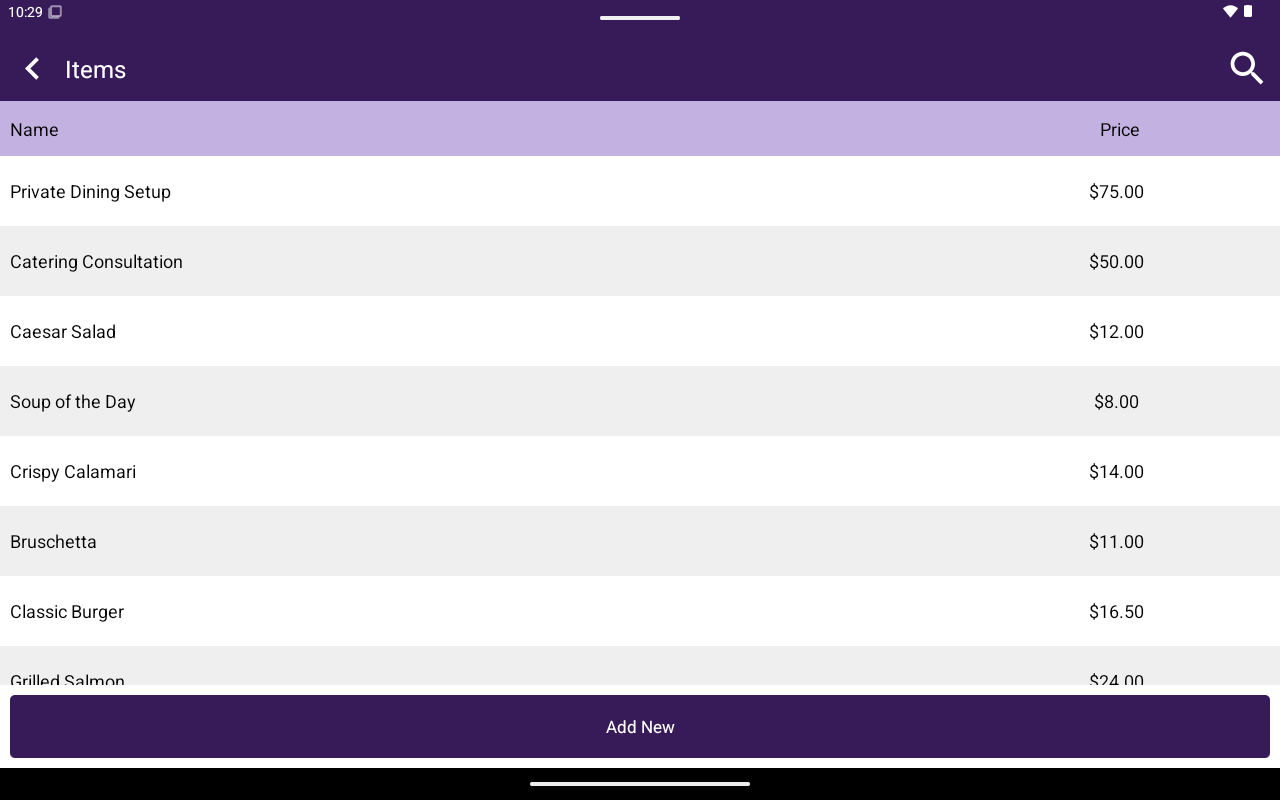
Labeled **Products** or **Items** depending on industry type. This is the main list of sellable goods.
 ## How to get here
Home → **Menu** / **Catalog** → **Products** or **Items**.
## Add a product or item
Open the create form.
Fill in **Name** (required), **Description**, **Custom Price** (YES/NO), **Price** (required when not custom), and **Sku** when applicable.
Save the new product/item.
## Edit a product or item
Open a row to edit. The editor includes:
| Tab | Contents |
| ------------------------------ | ---------------------------------------------------------- |
| **General** | Name, Description, Custom Price, Price, Sku, Save |
| **Attributes** / **Modifiers** | Attach option groups (**Add New** / **Add From Existing**) |
| **Taxes** | Attach taxes (**Add New** / **Add From Existing**) |
Use **Delete** to remove the product/item after confirmation.
Search supports name lookup (and barcode input where configured).
## Related
* [Attributes / Modifiers](/taliup-pos/catalog/attributes)
* [Taxes](/taliup-pos/catalog/taxes)
* [Featured](/taliup-pos/catalog/featured)
## How to get here
Home → **Menu** / **Catalog** → **Products** or **Items**.
## Add a product or item
Open the create form.
Fill in **Name** (required), **Description**, **Custom Price** (YES/NO), **Price** (required when not custom), and **Sku** when applicable.
Save the new product/item.
## Edit a product or item
Open a row to edit. The editor includes:
| Tab | Contents |
| ------------------------------ | ---------------------------------------------------------- |
| **General** | Name, Description, Custom Price, Price, Sku, Save |
| **Attributes** / **Modifiers** | Attach option groups (**Add New** / **Add From Existing**) |
| **Taxes** | Attach taxes (**Add New** / **Add From Existing**) |
Use **Delete** to remove the product/item after confirmation.
Search supports name lookup (and barcode input where configured).
## Related
* [Attributes / Modifiers](/taliup-pos/catalog/attributes)
* [Taxes](/taliup-pos/catalog/taxes)
* [Featured](/taliup-pos/catalog/featured)