> ## Documentation Index
> Fetch the complete documentation index at: https://docs.taliuphq.com/llms.txt
> Use this file to discover all available pages before exploring further.
# Fees
> Create order-level or item-level fees for the catalog.
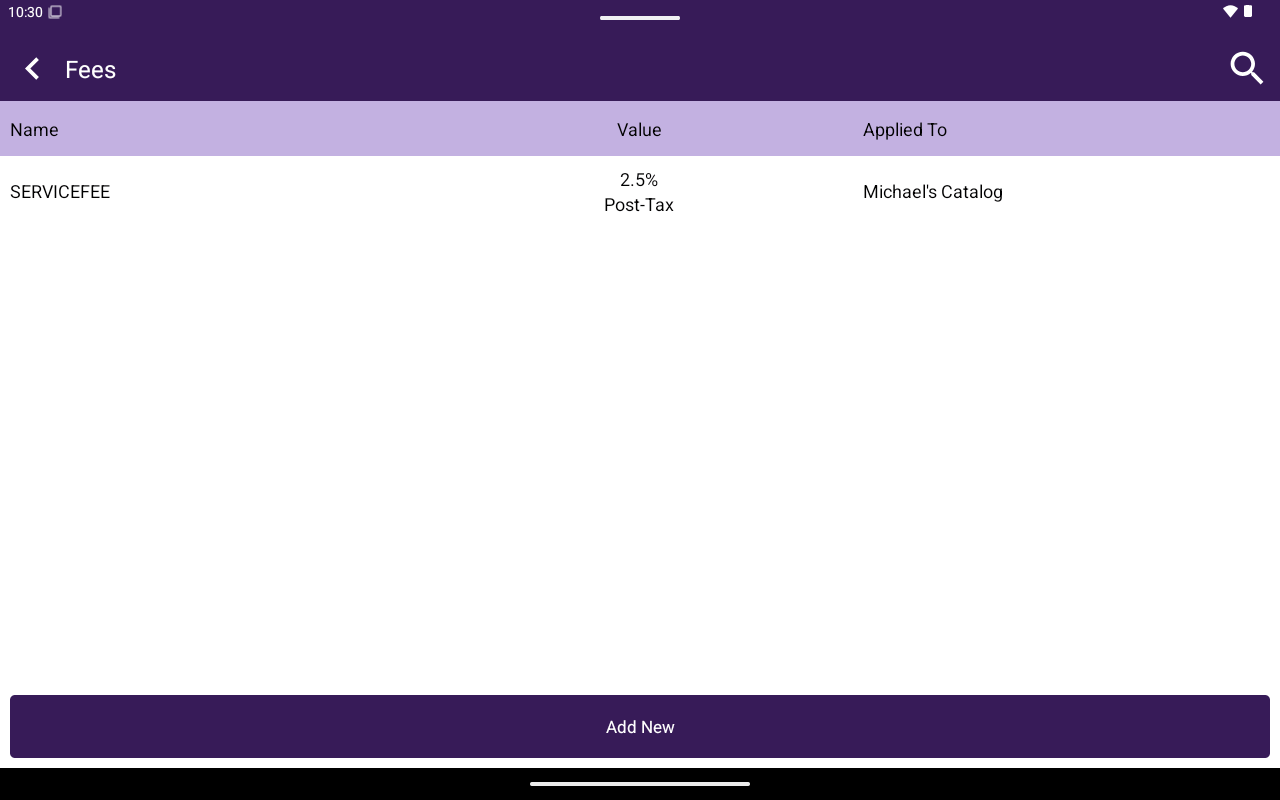
Use **Fees** to define fees staff can apply during a sale. Access requires the catalog fees feature.
 ## How to get here
Home → **Menu** / **Catalog** → **Fees**.
## Create a fee
Fees follow the same pattern as discounts:
| Field | Notes |
| -------------------------------------- | ---------------------------------- |
| **Name** | Required (instead of Disc. Code) |
| Type | **Percentage** or **Fixed Amount** |
| **Value** | Required |
| **Applied Before Tax?** | YES/NO |
| Level | **Order Level** or **Item Level** |
| **Applied Catalog** / **Applied Menu** | Required |
| **Applied Category** | Required for item-level fees |
Use search, **Add New**, edit, or **Delete**. Apply fees from Register [Options](/taliup-pos/register/options) → **Add Order Fees**.
## How to get here
Home → **Menu** / **Catalog** → **Fees**.
## Create a fee
Fees follow the same pattern as discounts:
| Field | Notes |
| -------------------------------------- | ---------------------------------- |
| **Name** | Required (instead of Disc. Code) |
| Type | **Percentage** or **Fixed Amount** |
| **Value** | Required |
| **Applied Before Tax?** | YES/NO |
| Level | **Order Level** or **Item Level** |
| **Applied Catalog** / **Applied Menu** | Required |
| **Applied Category** | Required for item-level fees |
Use search, **Add New**, edit, or **Delete**. Apply fees from Register [Options](/taliup-pos/register/options) → **Add Order Fees**.