> ## Documentation Index
> Fetch the complete documentation index at: https://docs.taliuphq.com/llms.txt
> Use this file to discover all available pages before exploring further.
# Featured
> Manage featured products or menu items shown for quick access in Register.
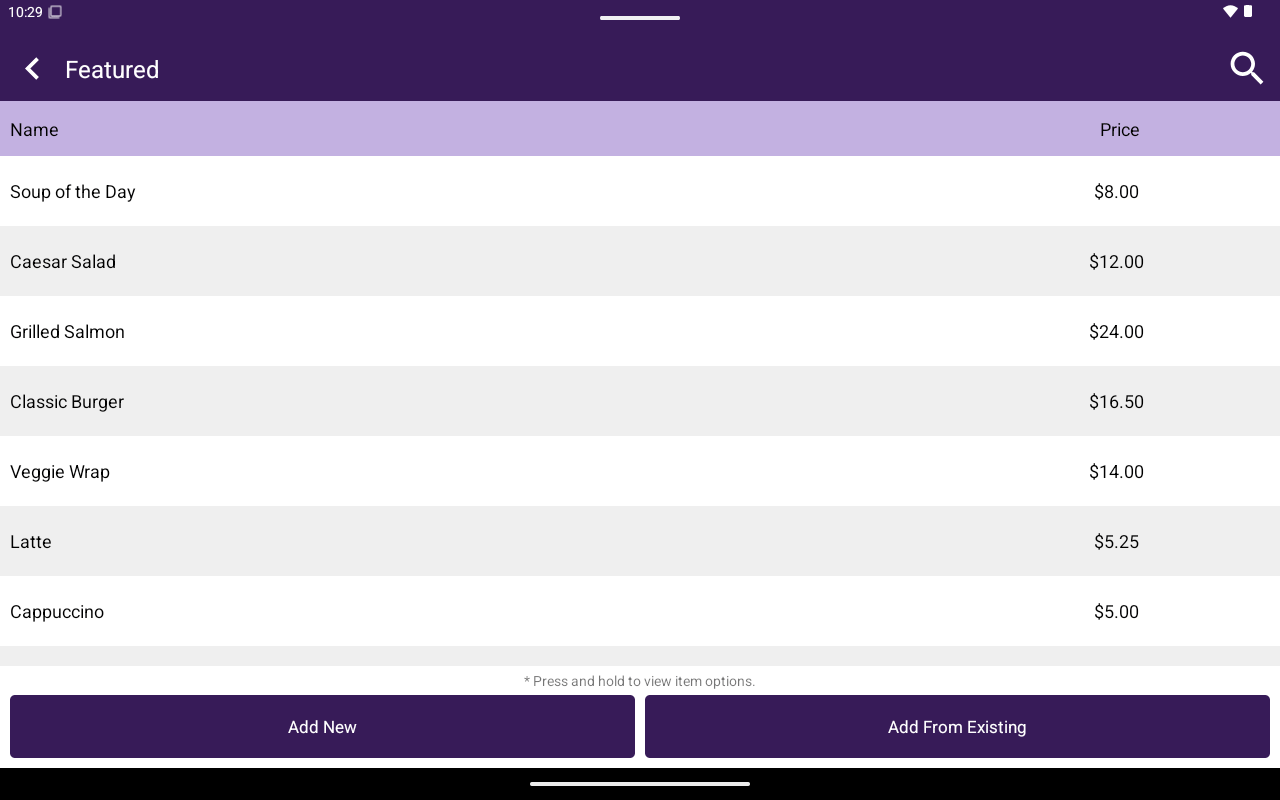
Use **Featured** to choose which products or menu items appear in the featured list used from Register.
 ## How to get here
Home → **Menu** / **Catalog** → **Featured**.
## What you can do
| Action | How |
| -------------------- | ------------------------------------------------------------------------------------------- |
| Search | Use search in the list |
| Create | Tap **Add New**, enter Name, Description, Custom Price, Price, Sku (products), then confirm |
| Add existing | Tap **Add From Existing** and pick an item |
| Remove from featured | Press and hold a row → **Remove from Featured** |
List columns: **Name**, **Price**. Hint: *Press and hold to view item options.*
Editing an item opens the product editor (**General**, **Attributes**/**Modifiers**, **Taxes**) — see [Products / Items](/taliup-pos/catalog/products).
## How to get here
Home → **Menu** / **Catalog** → **Featured**.
## What you can do
| Action | How |
| -------------------- | ------------------------------------------------------------------------------------------- |
| Search | Use search in the list |
| Create | Tap **Add New**, enter Name, Description, Custom Price, Price, Sku (products), then confirm |
| Add existing | Tap **Add From Existing** and pick an item |
| Remove from featured | Press and hold a row → **Remove from Featured** |
List columns: **Name**, **Price**. Hint: *Press and hold to view item options.*
Editing an item opens the product editor (**General**, **Attributes**/**Modifiers**, **Taxes**) — see [Products / Items](/taliup-pos/catalog/products).