> ## Documentation Index
> Fetch the complete documentation index at: https://docs.taliuphq.com/llms.txt
> Use this file to discover all available pages before exploring further.
# Menu taxes / Catalog taxes
> Manage taxes assigned to the current menu or catalog.
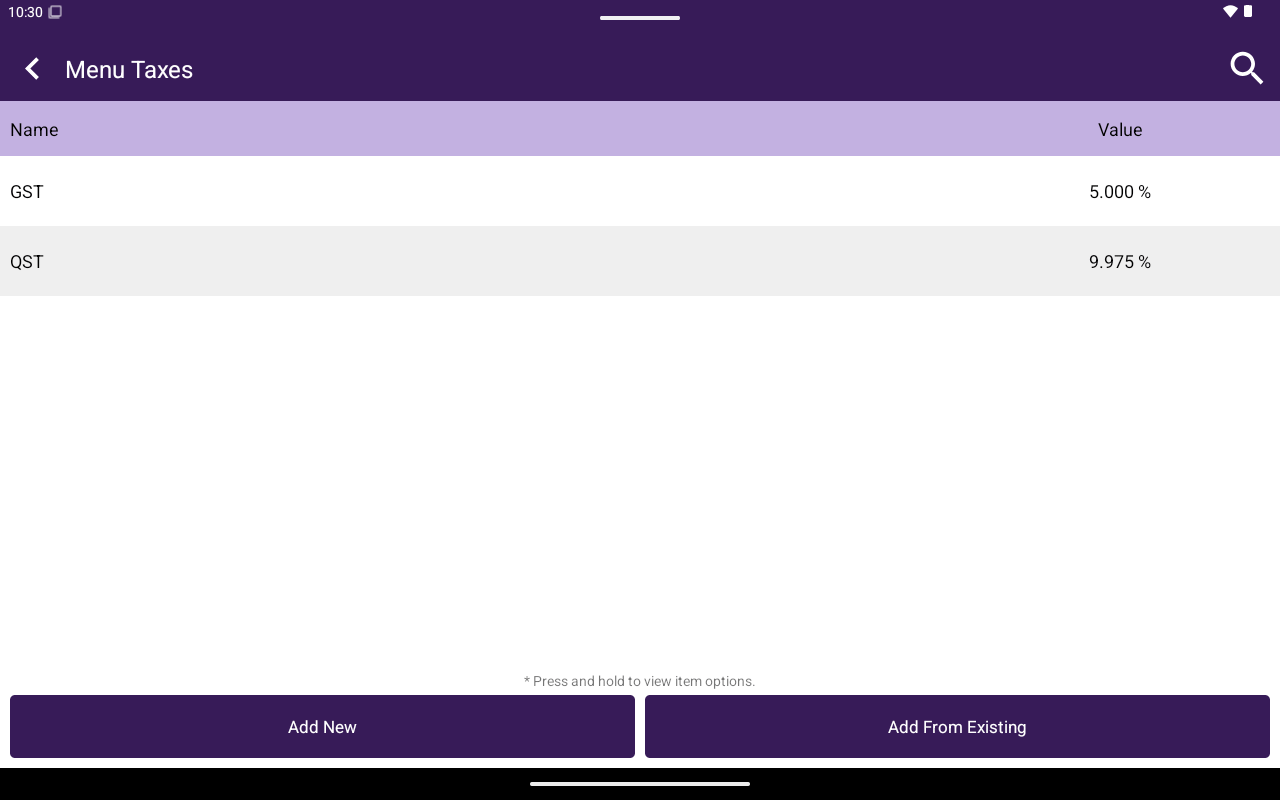
This section is labeled **Menu Taxes** for restaurants and **Catalog Taxes** otherwise. It manages taxes assigned to the current menu/catalog (separate from the global [Taxes](/taliup-pos/catalog/taxes) library).
 ## How to get here
Home → **Menu** / **Catalog** → **Menu Taxes** or **Catalog Taxes**.
## What you can do
| Action | How |
| ----------------- | --------------------------------------------------------------------------------- |
| Search | Filter the list |
| Create | **Add New** — Name, Description, **Percentage** or **Fixed Amount**, Value → Save |
| Add existing | **Add From Existing** |
| Remove assignment | Press and hold → **Remove from Menu** / **Remove from Catalog** |
| Edit / delete tax | Open a tax → edit fields or **Delete** |
List columns: **Name**, **Value**.
## How to get here
Home → **Menu** / **Catalog** → **Menu Taxes** or **Catalog Taxes**.
## What you can do
| Action | How |
| ----------------- | --------------------------------------------------------------------------------- |
| Search | Filter the list |
| Create | **Add New** — Name, Description, **Percentage** or **Fixed Amount**, Value → Save |
| Add existing | **Add From Existing** |
| Remove assignment | Press and hold → **Remove from Menu** / **Remove from Catalog** |
| Edit / delete tax | Open a tax → edit fields or **Delete** |
List columns: **Name**, **Value**.