> ## Documentation Index
> Fetch the complete documentation index at: https://docs.taliuphq.com/llms.txt
> Use this file to discover all available pages before exploring further.
# Menu / Catalog
> Manage featured items, categories, products or menu items, taxes, discounts, fees, and inventory.
**Menu** (restaurants) and **Catalog** (other industry types) are the same Home section with different labels. Use it to build and maintain what you sell. Selling happens in [Register](/taliup-pos/register).
 ## How to get here
From Home, tap **Menu** or **Catalog**.
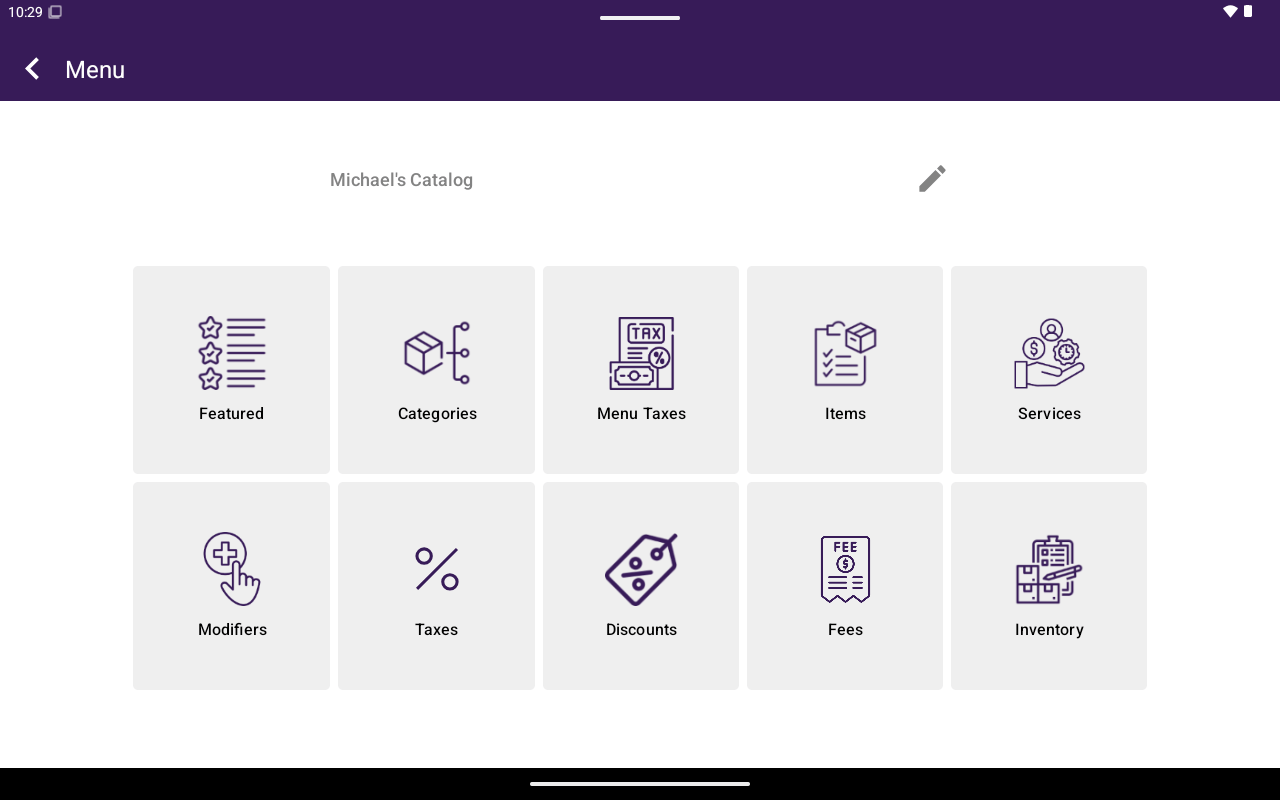
The app bar shows the current menu/catalog name. You can rename it (**Catalog Name** / **Menu Name** → **Rename Catalog** / **Rename Menu**).
## Sections
These match the buttons on the Menu/Catalog grid:
Highlight items for quick access.
Organize items into categories.
Taxes assigned to this menu/catalog.
Create and edit sellable products or menu items.
Manage bookable services.
Attributes (retail) or modifiers (restaurant).
Global tax rates.
Discount definitions.
Fee definitions.
Stock, raw materials, and units.
## Labels by industry
| Concept | Other industries | Restaurant |
| ---------------- | ---------------- | ------------ |
| Home title | Catalog | Menu |
| Grid taxes | Catalog Taxes | Menu Taxes |
| Sellable goods | Products | Items |
| Options on items | Attributes | Modifiers |
| Applied spinner | Applied Catalog | Applied Menu |
## Feature access
Some sections require plan features (Services, Discounts, Fees, Inventory). If a section is locked, Taliup POS shows that the feature is not available — ask your ISO/partner or enable it in Taliup HQ.
## How to get here
From Home, tap **Menu** or **Catalog**.
The app bar shows the current menu/catalog name. You can rename it (**Catalog Name** / **Menu Name** → **Rename Catalog** / **Rename Menu**).
## Sections
These match the buttons on the Menu/Catalog grid:
Highlight items for quick access.
Organize items into categories.
Taxes assigned to this menu/catalog.
Create and edit sellable products or menu items.
Manage bookable services.
Attributes (retail) or modifiers (restaurant).
Global tax rates.
Discount definitions.
Fee definitions.
Stock, raw materials, and units.
## Labels by industry
| Concept | Other industries | Restaurant |
| ---------------- | ---------------- | ------------ |
| Home title | Catalog | Menu |
| Grid taxes | Catalog Taxes | Menu Taxes |
| Sellable goods | Products | Items |
| Options on items | Attributes | Modifiers |
| Applied spinner | Applied Catalog | Applied Menu |
## Feature access
Some sections require plan features (Services, Discounts, Fees, Inventory). If a section is locked, Taliup POS shows that the feature is not available — ask your ISO/partner or enable it in Taliup HQ.