> ## Documentation Index
> Fetch the complete documentation index at: https://docs.taliuphq.com/llms.txt
> Use this file to discover all available pages before exploring further.
# Appointments
> Create, edit, and delete calendar appointments in Taliup POS.
## Create an appointment
From **Calendar**, tap a day, then tap **New Appointment**.
On **New Appointment**, complete the fields below.
Tap **Add New**.
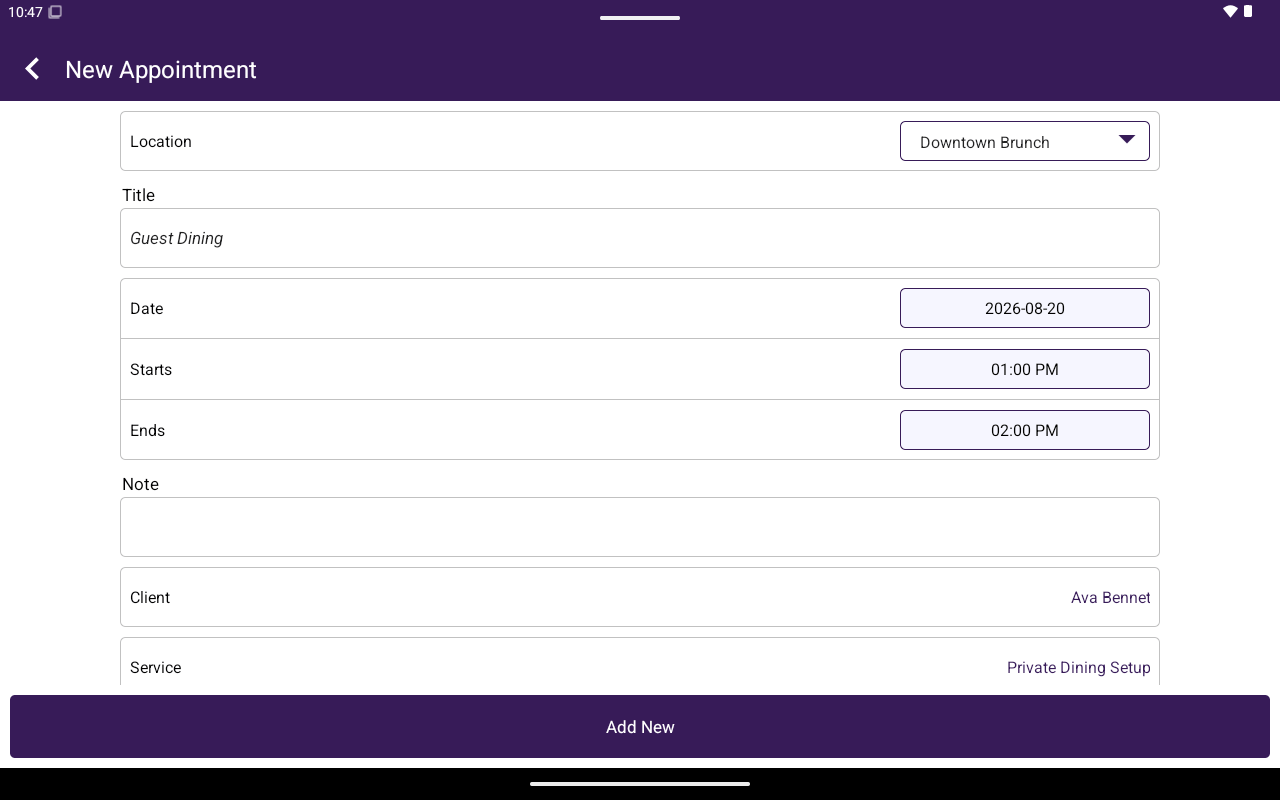 ### Fields
| Field | Notes |
| -------------------------------------------- | -------------------------------------------------------- |
| **Location** | Required location for the appointment |
| **Title** | Required |
| **Date** | Appointment date |
| **Starts** / **Ends** | Start must be before end |
| **Note** | Optional |
| **Client** | **Select Client** |
| **Service** | **Select service** (needs Services / `catalog_services`) |
| **Employee** | Spinner including **None** |
| **Send Reminder?** | **YES** / **NO** |
| **Allow Client To Confirm The Appointment?** | **YES** / **NO** |
| **Allow Client To Cancel The Appointment?** | **YES** / **NO** |
## Edit or delete
Tap an appointment chip to open **Appointment** (same fields as create).
| Action | How |
| ------------ | -------------------------------------------------------------------------------------------- |
| Save changes | Tap **Save** |
| Delete | Tap **Delete Appointment** → confirm **Please confirm you want to delete this appointment?** |
## Related
* [Clients](/taliup-pos/clients) — client records and client activity **Appointments**
* [Services](/taliup-pos/catalog/services) — service catalog used by the picker
### Fields
| Field | Notes |
| -------------------------------------------- | -------------------------------------------------------- |
| **Location** | Required location for the appointment |
| **Title** | Required |
| **Date** | Appointment date |
| **Starts** / **Ends** | Start must be before end |
| **Note** | Optional |
| **Client** | **Select Client** |
| **Service** | **Select service** (needs Services / `catalog_services`) |
| **Employee** | Spinner including **None** |
| **Send Reminder?** | **YES** / **NO** |
| **Allow Client To Confirm The Appointment?** | **YES** / **NO** |
| **Allow Client To Cancel The Appointment?** | **YES** / **NO** |
## Edit or delete
Tap an appointment chip to open **Appointment** (same fields as create).
| Action | How |
| ------------ | -------------------------------------------------------------------------------------------- |
| Save changes | Tap **Save** |
| Delete | Tap **Delete Appointment** → confirm **Please confirm you want to delete this appointment?** |
## Related
* [Clients](/taliup-pos/clients) — client records and client activity **Appointments**
* [Services](/taliup-pos/catalog/services) — service catalog used by the picker