> ## Documentation Index
> Fetch the complete documentation index at: https://docs.taliuphq.com/llms.txt
> Use this file to discover all available pages before exploring further.
# Créer et envoyer Lien Pour Payer
> Envoyer un Lien Pour Payer depuis Caisse et comprendre les champs New Invoice.
## Depuis le paiement en Caisse
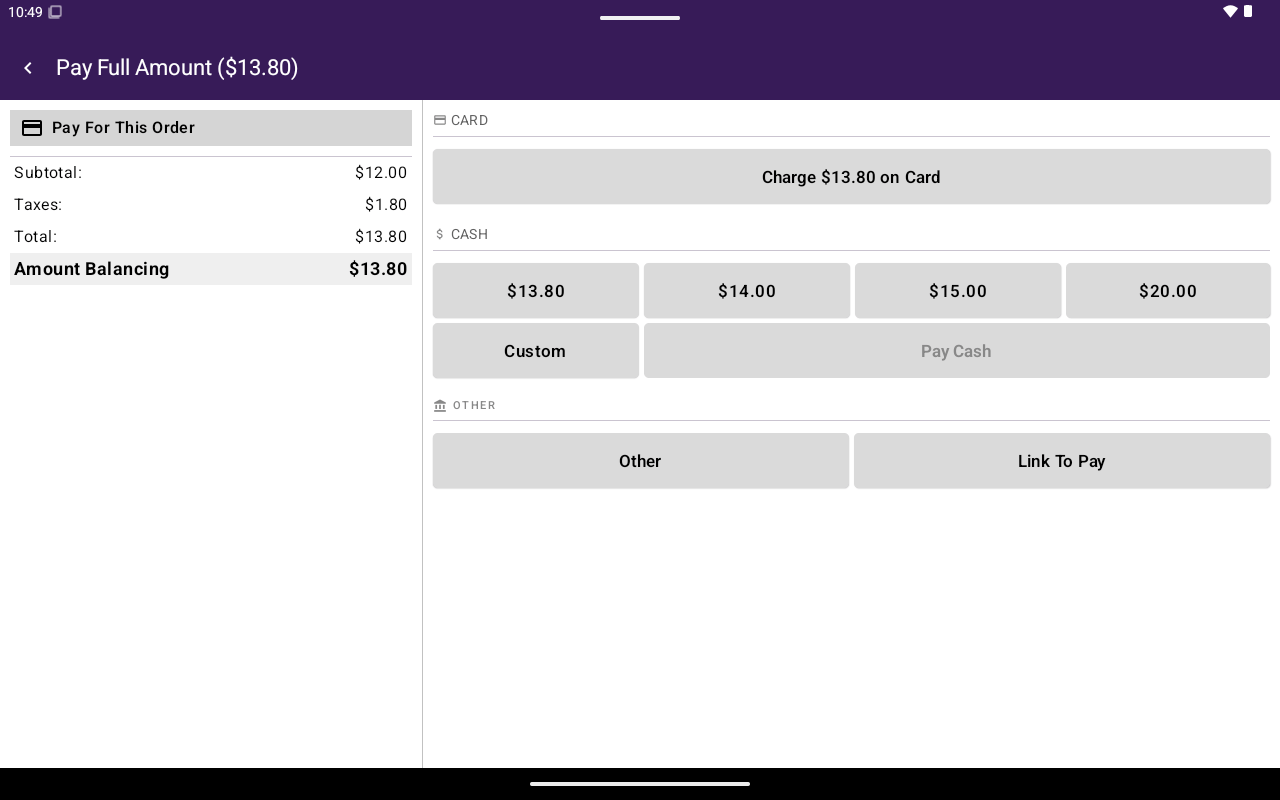
Lorsque Lien Pour Payer est activé pour le marchand, l'écran de paiement peut afficher **Lien Pour Payer** parmi les autres méthodes.
Ajoutez des articles ou un montant Vente ouverte dans [Caisse](/fr-CA/taliup-pos/register), puis appuyez sur **Pay**.
Appuyez sur **Lien Pour Payer**.
Confirmez l'envoi lorsque demandé (**Lien Pour Payer** / procéder à l'envoi au contact du client sélectionné).
Associez d'abord un [client](/fr-CA/taliup-pos/clients/attach-from-register) lorsque le flux exige un courriel ou un téléphone.
 ## Formulaire New Invoice (champs)
Le PDV inclut aussi un formulaire **New Invoice** / **Edit Invoice** pour la création complète de facture (aussi lié à la facturation HQ). Champs clés :
| Section | Champs |
| ------------------ | -------------------------------------------------------------------------------------- |
| En-tête | **Invoice Number**, **Client**, **Invoice Summary**, **Invoice Message**, **Location** |
| Horaires | **Send Invoice Immediately**, **Send Date**, **Due Date** |
| **Items** | **Add Item**, **Edit Attribute** |
| **Total** | **Subtotal:**, **Add Discount**, **Total:** |
| Paiement | **Payment Details**, **Recurring Payment**, **Add Link To Pay the Invoice** |
| **Communications** | **Send Invoice Via Email**, **Send Invoice Via Invoice As SMS** |
Les actions du pied de page incluent **draft** et **create invoice** (ou **update invoice** / **update draft** à la modification).
Exemples de validation : numéro de facture, client et emplacement obligatoires; le SMS exige que le client ait un numéro de téléphone.
Pour la configuration de facturation côté HQ, voir [Facturation](/fr-CA/taliup-hq/features/invoicing).
## Formulaire New Invoice (champs)
Le PDV inclut aussi un formulaire **New Invoice** / **Edit Invoice** pour la création complète de facture (aussi lié à la facturation HQ). Champs clés :
| Section | Champs |
| ------------------ | -------------------------------------------------------------------------------------- |
| En-tête | **Invoice Number**, **Client**, **Invoice Summary**, **Invoice Message**, **Location** |
| Horaires | **Send Invoice Immediately**, **Send Date**, **Due Date** |
| **Items** | **Add Item**, **Edit Attribute** |
| **Total** | **Subtotal:**, **Add Discount**, **Total:** |
| Paiement | **Payment Details**, **Recurring Payment**, **Add Link To Pay the Invoice** |
| **Communications** | **Send Invoice Via Email**, **Send Invoice Via Invoice As SMS** |
Les actions du pied de page incluent **draft** et **create invoice** (ou **update invoice** / **update draft** à la modification).
Exemples de validation : numéro de facture, client et emplacement obligatoires; le SMS exige que le client ait un numéro de téléphone.
Pour la configuration de facturation côté HQ, voir [Facturation](/fr-CA/taliup-hq/features/invoicing).