> ## Documentation Index
> Fetch the complete documentation index at: https://docs.taliuphq.com/llms.txt
> Use this file to discover all available pages before exploring further.
# Créer et modifier un client
> Ajouter un client, mettre à jour les détails, consulter l'activité et supprimer un client.
## Créer un client
Depuis Accueil, appuyez sur **Clients**, puis **Ajouter nouveau**.
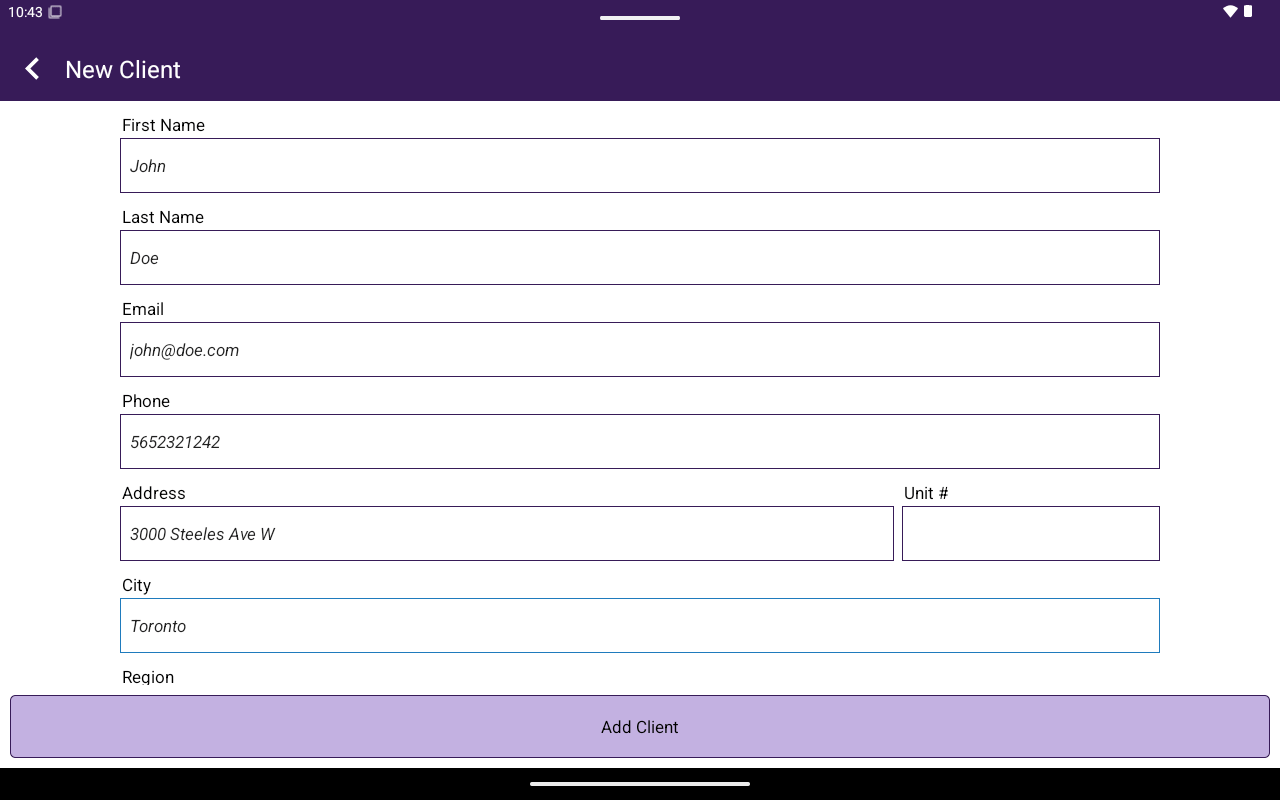
Dans **New Client**, remplissez :
| Champ | Obligatoire |
| --------------------------------------------------------------------------- | ----------- |
| **First Name** | Oui |
| **Last Name** | Oui |
| **Email** | Oui |
| **Phone** | Non |
| **Address**, **Unit #**, **City**, **Region**, **Country**, **Postal Code** | Non |
Appuyez sur **Ajouter un client**.
 ## Portail client
Ouvrir un client affiche **Client** avec deux onglets :
### Modifier les détails
Texte d'aide : **Update customer details below, then tap Save Changes.**
Sections :
* **Basic Info**
* **Contact**
* **Address** (vous pouvez **Edit address** / **Hide address**)
* **Notes** — **No notes on file.** ou les notes existantes; **Add a note**
Actions en bas :
* **Save Changes** (pendant la modification)
* **Edit Details** (depuis Activity)
* **Delete Client** → confirmer **Proceed to deleting this client?**
Si vous supprimez un client dans **Taliup HQ** et le rajoutez avec le même courriel, HQ propose de [restaurer le client précédent](/fr-CA/taliup-hq/features/clients#restaurer-un-client-supprimé) pour que les factures et l'historique reviennent.
### Activité
Utilisez **Activity Menu** pour changer de section :
| Section | État vide |
| ---------------- | -------------------------------------- |
| **Invoices** | No invoices found for this client. |
| **Transactions** | No transactions found for this client. |
| **Appointments** | No appointments found for this client. |
| **Orders** | No orders found for this client. |
Les puces **Quick Summary** peuvent afficher **Invoices**, **Transactions** et **Total Paid**.
## Connexe
* [Associer depuis Caisse](/fr-CA/taliup-pos/clients/attach-from-register)
* [Lien Pour Payer](/fr-CA/taliup-pos/link-to-pay)
* [Calendrier](/fr-CA/taliup-pos/calendar)
## Portail client
Ouvrir un client affiche **Client** avec deux onglets :
### Modifier les détails
Texte d'aide : **Update customer details below, then tap Save Changes.**
Sections :
* **Basic Info**
* **Contact**
* **Address** (vous pouvez **Edit address** / **Hide address**)
* **Notes** — **No notes on file.** ou les notes existantes; **Add a note**
Actions en bas :
* **Save Changes** (pendant la modification)
* **Edit Details** (depuis Activity)
* **Delete Client** → confirmer **Proceed to deleting this client?**
Si vous supprimez un client dans **Taliup HQ** et le rajoutez avec le même courriel, HQ propose de [restaurer le client précédent](/fr-CA/taliup-hq/features/clients#restaurer-un-client-supprimé) pour que les factures et l'historique reviennent.
### Activité
Utilisez **Activity Menu** pour changer de section :
| Section | État vide |
| ---------------- | -------------------------------------- |
| **Invoices** | No invoices found for this client. |
| **Transactions** | No transactions found for this client. |
| **Appointments** | No appointments found for this client. |
| **Orders** | No orders found for this client. |
Les puces **Quick Summary** peuvent afficher **Invoices**, **Transactions** et **Total Paid**.
## Connexe
* [Associer depuis Caisse](/fr-CA/taliup-pos/clients/attach-from-register)
* [Lien Pour Payer](/fr-CA/taliup-pos/link-to-pay)
* [Calendrier](/fr-CA/taliup-pos/calendar)